Xiaomi Mi Sphere for Real Estate: Photos, RAW & Stitching
Legacy camera guide · Xiaomi Mi Sphere
The Mi Sphere deserves attention as a still-photography camera, not just an early spherical-video device. Its documented photo controls give an existing owner options for interiors, but a business must verify the software chain and actual stitched output before relying on a used kit.
Our assessment: evaluate the finished panorama, not the preview
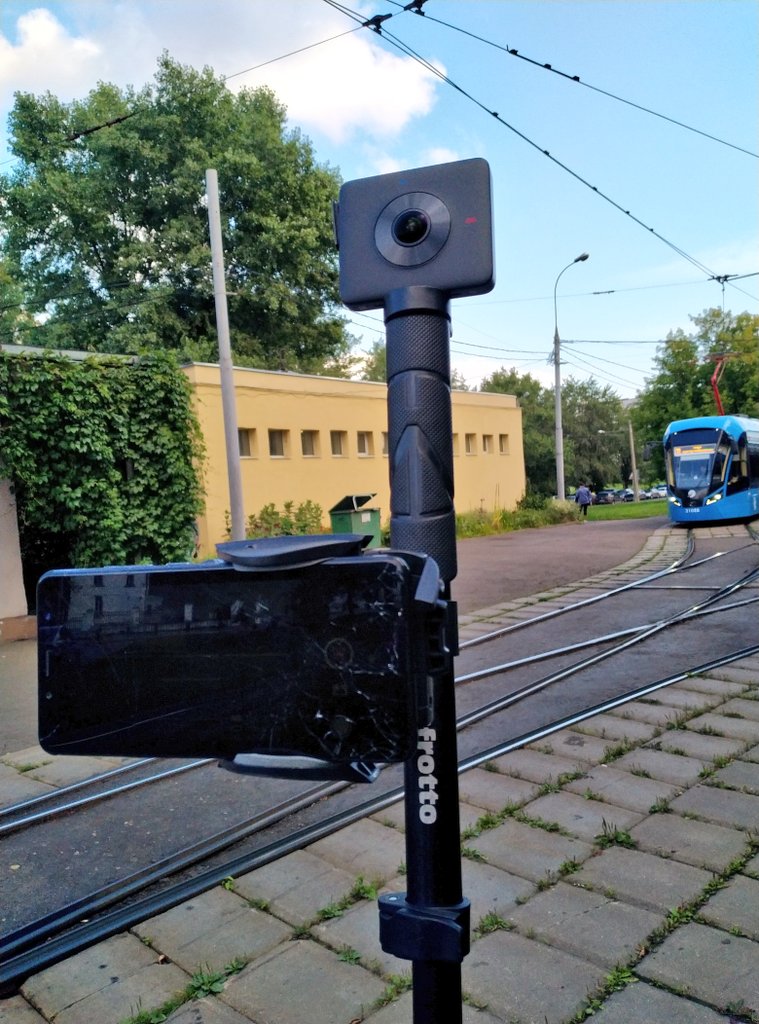
An already-owned Mi Sphere is worth testing on a representative property before dismissing it on age alone. For a new purchase, require a complete demonstration: capture an interior, copy the source, stitch it and inspect the final hosted view. A camera that produces files is not necessarily a kit that can deliver them efficiently.
Room photography asks different questions from action video. Look for usable window detail, natural walls, straight furniture edges and consistent seams. A small live preview is insufficient for judging any of those.
The documented still-photo foundation
| Item | Mi Sphere |
|---|---|
| Photo dimensions | 6912 × 3456 or 3456 × 1728 |
| Sensors / aperture | Two 1/2.3-inch Sony sensors; f/2.0 |
| Manual ISO settings | 50–1600 |
| Exposure compensation | −3 to +3 EV in half-stop increments |
| Weight | 108.3 g |
| Mount | 1/4-inch tripod connection |
Source: Xiaomi's Mi Sphere product page. Its shutter-speed table is incomplete and its marketing text mentions eight seconds. Mic Ty's review, updated October 2018, reports exposures up to 32 seconds. Treat that as a historical reviewer observation, not a verified range for every app/firmware combination.
Two photo sizes, four times the pixel count
Manufacturer-listed still output sizes
6912 × 3456 — 23.89 MP calculated
3456 × 1728 — 5.97 MP calculated
For property work, confirm the dimensions of the final panorama rather than assuming every path through the software preserves the larger size. Upscaling a smaller export does not restore the missing source information.
Preview, source file and finished sphere are different things
Xiaomi's FAQ explains that the app initially displays lower-resolution previews; downloading improves the available viewing quality. It also confirms that a microSD card is required, with no internal storage and a listed maximum of 128 GB.
The same FAQ identifies Mi Sphere Camera—not Mi Home—as the app. Connecting to a computer by USB enters storage/charging mode and prevents capture. That distinction matters when planning a powered shooting setup: computer file access is not the same operating state as normal photography.
Keep a copy of the untouched source files. Check whether the file you are viewing is a pair of fisheye images or an already assembled panorama. A JPEG extension alone does not answer that question, and a local image viewer is not a substitute for inspecting the sphere in a suitable viewer.
Later RAW workflows need their own verification
The original manufacturer FAQ specifies JPEG. In Ash Blagdon's long-term owner review, updated in February 2021, he describes DNG capture alongside JPEG and favors MiSphere Converter over the in-camera stitching he tested. He reports a longer wait for RAW capture and stresses using downloaded images rather than the low-quality preview.
Those are later, historical owner observations, not proof that the original specification was a complete account of subsequent firmware or that the same workflow works on current phones. His enthusiasm for still quality should be read in its period, not as a ranking against today's cameras.
Before committing to RAW, demonstrate all stages on a test file: retrieve the source, process it without losing required information, stitch the lenses, correct orientation and export a usable sphere. Do not assume that opening a DNG in a photo editor automatically creates a finished tour image.
Mic Ty's review describes RAW+JPEG capture producing a roughly 45 MB double-fisheye DNG. His November 2017 workflow developed that file into JPEG before third-party stitching; it did not deliver a stitched RAW master. His Mi Sphere resource guide likewise specifies DNG-to-JPEG conversion before MiSphere Converter and associates RAW capture with app version 1.8.4 onward. That is an app version, not a firmware identifier.
Keep the DNG as your editable original even when the stitching route requires JPEG. For interiors, complete your intended white-balance and exposure adjustments before that conversion, then inspect both lens regions and the final seam. This is workflow planning, not a claim that JPEG retains RAW editing latitude.
In his separate December 2017 calibration tutorial, Blagdon compares his own images processed with Xiaomi's app and Yoichi Hirota's MiSphere Converter. He reports improved stitching and horizon handling with the latter, describes sharing downloaded double-fisheye files into the converter, and cautions that the iOS version then could not stitch RAW images. These are historical workflow observations, not a verified current app-store offering or a cross-platform capability guarantee.
Our practical takeaway is to include stitching settings and any calibration in the job record. Photograph a doorway or other straight feature at a repeatable distance, inspect both seams in a spherical viewer, and keep the comparison file with the working configuration. A calibration success on one scene should not be treated as a promise that every close object will stitch cleanly.
Ben Claremont's update guide provides historical context
Ben Claremont's November 2017 “TEN NEW FEATURES” video is specific to the Mi Sphere. Its description links desktop software and a Hugh Hou RAW tutorial, making it a useful trail for investigating the camera's evolving workflow.
This is a further-viewing resource: we have not independently assessed its full footage or the linked RAW tutorial. The technical workflow above is grounded in the cited written sources; no still-quality verdict, particular bracketing sequence or current compatibility is attributed here to either creator.
Use the exposure controls to answer a real property question
Start with a room that has both bright windows and shaded furniture. On a stable support, compare a normal exposure with deliberately adjusted exposures. Inspect the window highlights and interior shadows separately, then check whether movement or stitching changes make the result less useful.
This is our proposed acceptance test, not a completed benchmark. Manual exposure options do not by themselves establish an automatic HDR workflow. If you intend to merge multiple captures, verify the exact capture sequence and processing route on your firmware before adding it to a paid service.
Historical bracketing accounts differ: Mic Ty's review lists three frames at 0.5 or 1 EV spacing, while the resource guide's January 2018 update describes three frames reaching ±3 EV. These dated descriptions are not a reliable specification for an unidentified used kit. Check the available menu and the actual exposure metadata of all three files; exposure compensation alone does not prove automated bracketing or an in-camera HDR merge.
For narrow corridors and small bathrooms, inspect close edges around the seam. A cleaner result may require moving the camera away from a doorway or fixture. Evaluate the entire sphere, including the support and the region below the camera.
Construction-site use: respect the limits of a legacy kit
Xiaomi advertises IP67, but warns that resistance can degrade and excludes immersion damage from its stated warranty coverage. Its product page gives −10 to 45°C; the FAQ instead gives −20 to 45°C. Do not infer a verified lower-temperature limit from that conflict.
For an older camera, assess physical condition rather than treating a launch-era rating as proof that present seals remain intact. Plan protection, lens cleaning and safe handling before a dusty site visit. This guide does not certify the kit for hazardous environments.
Record named viewpoints, dates and approximate camera height for progress documentation. Note any change in access or position. Pair panoramas with detail photographs for labels and components; a visual record is not a survey-grade measurement, automatic defect detector or verified BIM alignment.
Travel photography and business delivery share an archive problem
A travel camera and a property camera both need a reliable way to get images out. Rehearse that workflow before departure or a commission, preserve originals independently and record the software versions that produced a successful export. Avoid relying on unverified download mirrors to revive an obsolete app.
Software availability check: on 21 September 2026, our request to the MiSphere Converter Google Play listing returned HTTP 404. That establishes only that this request failed—not worldwide removal, regional availability, or whether a previous purchaser can reinstall it. We have not verified a currently supported end-to-end workflow on a new phone or computer. Budget for proving that workflow before purchasing, rather than assuming a historical download link is enough.
GoThru operates this publication, and Panorra is owner-operated. Neither link represents a completed Mi Sphere integration test. Validate the actual hosted presentation before promising delivery.
Our conclusion is conditional: a functioning Mi Sphere can be evaluated on the merits of its exported stills, but a used-camera purchase should include proof of the entire workflow. Image dimensions and favorable historical reviews alone are not enough.
Compare the workflow, not just the age
| Problem to investigate | Comparison guide |
|---|---|
| RAW editing for window-lit interiors | Theta Z1: compare delivered detail, exposure and editing time. |
| Another legacy HDR/RAW workflow | Insta360 ONE X: examine its documented processing routes and current desktop requirements. |
| Simpler still-photo capture | Theta SC2: compare a JPEG-oriented workflow and software support against the Mi Sphere setup you can actually operate. |
These are suggested comparison paths, not our own image-quality ranking. Use the same room and viewing scale and include staff time in the cost comparison.
Research checked 21 September 2026. Historical feature reports, conflicting documentation and untested current compatibility are identified above; this guide does not represent a hands-on camera or software test.




Comments ()