Nikon KeyMission 360 for Virtual Tours: Legacy Camera Guide
Legacy camera guide · Real estate and construction
Already own a KeyMission 360? Its stitched JPEG output makes it worth testing for basic location records. Buying one specifically for a virtual-tour business demands a more careful check of software, exposure control and the condition of the individual camera.
Our assessment
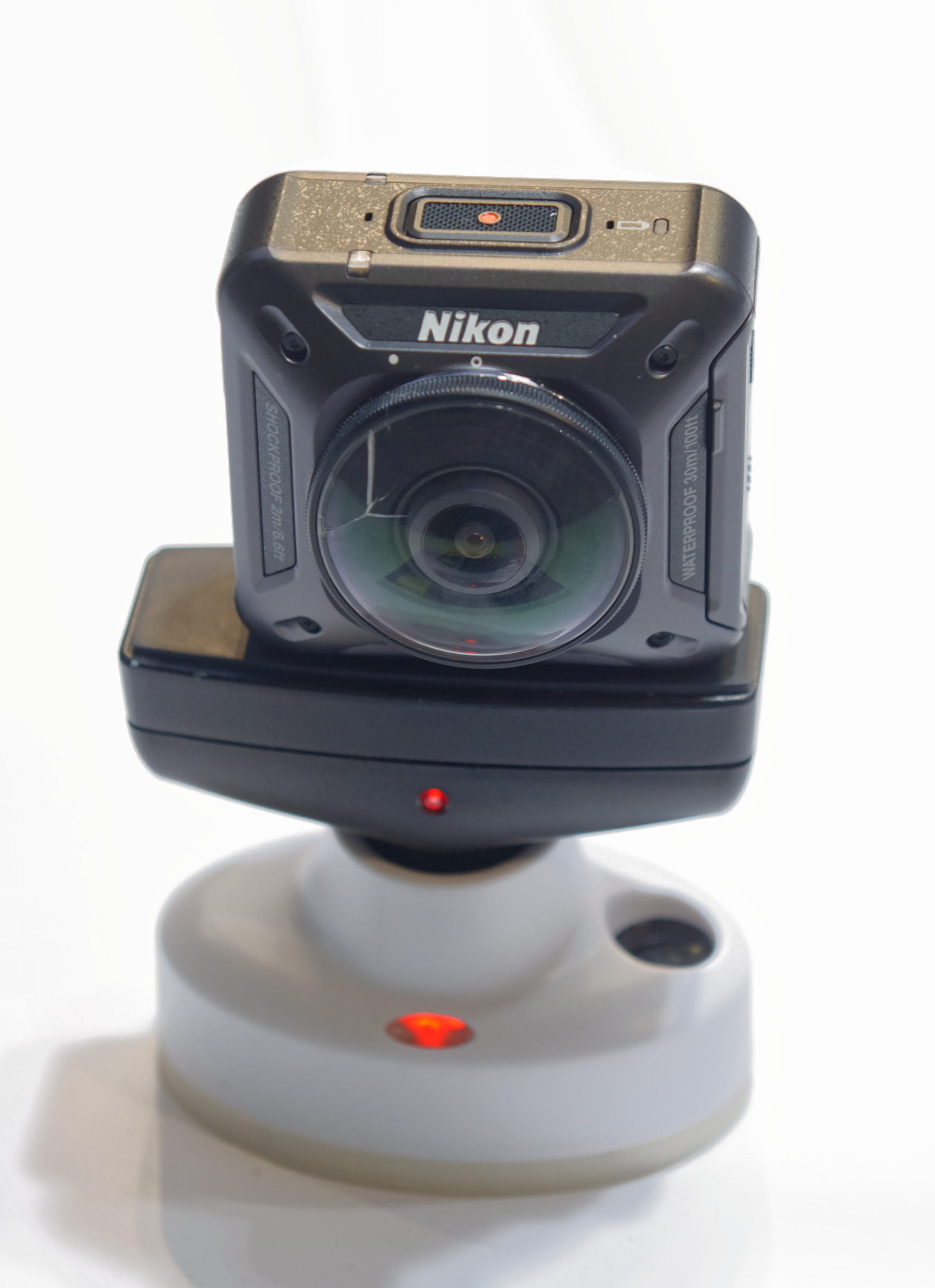
Our recommendation is conditional: keep an existing working unit in consideration for straightforward progress records or learning 360 photography, but prove the complete workflow before promising a commercial tour. A camera that produces a panorama is not automatically a camera that lets an operator work quickly and consistently across dozens of rooms.
For a new business, the buying decision should start with a trial job rather than a low used price. Can you configure it with your actual phone or computer, make a clean room panorama, retrieve the full-size file and inspect it in your intended viewer? If any step depends on equipment or software you no longer have, include that limitation in the purchasing decision.
Specifications that matter for still tours
| Feature | Specification |
|---|---|
| Large still image | 7744 × 3872 pixels, labelled 30M |
| Small still image | 3872 × 1936 pixels, labelled 7M |
| Still format | JPEG |
| Optics | Two f/2 lenses; 1/2.3-inch-type CMOS sensors |
| Exposure | Programmed auto; compensation from −2 to +2 EV |
| Storage and battery | microSD family cards; removable EN-EL12 battery |
| Weight | Approximately 198 g |
| Mount | Standard 1/4-inch tripod socket |
Sources: Nikon Japan specifications and Nikon USA product specifications. Recorded image dimensions, effective sensor pixels and marketing megapixel labels are different quantities; the output dimensions are the useful basis for the chart below.
What the two photo sizes actually change
Horizontal pixels in the recorded panorama
30M setting — 7,744 pixels
7M setting — 3,872 pixels
Our workflow preference for a property test is to retain the larger original and create smaller delivery copies only when required. That preserves options if the client later requests a different viewer or a closer look at the room. The larger file still needs inspection: extra pixels cannot by themselves prove clean stitching or preserve a blown-out window.
What a first-hand review found
Jeff Carlson's April 2017 DPReview test found good static-image quality but criticized unreliable mobile connectivity, limited exposure controls and conspicuous joins around nearby objects. His experience is useful evidence of the camera's historical strengths and friction, not a test of today's phone operating systems.
Separate the age of the review from the age of the software. Nikon's download center lists firmware 1.6 dated March 2021 and SnapBridge 360/170 for Android 1.1.6 dated September 2019. These listings do not establish successful operation on every current device. We have not performed that compatibility test.
Real-estate interiors: exposure before resolution
Useful creator resource: Hugh Hou's Top 10 beginner tips for 360 video making with Nikon Keymission 360 is an exact-model tutorial. We verified its title and creator through YouTube's metadata, but have not inspected the full video for this guide. Treat it as further viewing, not a source for an indoor still-photo score or proof that its historical software steps remain current.
JPEG-only still capture leaves no manufacturer-listed RAW photo workflow to build this guide around. For property work, our practical concern is the finished balance between interior surfaces and bright windows. Check the result before leaving the first room; do not assume that a later editing step can recreate missing highlight detail.
Use a representative test containing a window, pale walls and dark furniture. Compare a normal capture with an exposure-compensated capture, then judge the entire sphere rather than one attractive direction. This is a suggested test, not a claim that the KeyMission automatically brackets or merges HDR exposures.
Position the camera with space around it. Inspect door jambs, chair backs and other close straight edges where the two views meet. If the result bends or doubles a structural feature, move the capture position and retest instead of accepting the error because the image looks fine when zoomed out.
Getting images off the camera
Use the model-specific software documentation. Nikon's SnapBridge 360/170 Android download page offers version 1.1.6 and lists Android 6.0.1, 7, 8 and 9-era requirements, plus Bluetooth Low Energy. It explicitly declines to guarantee operation on all Android devices. The availability of this download is not a modern-phone compatibility certification, and the similarly named general SnapBridge app should not be assumed interchangeable.
The firmware 1.6 release notes describe a fix for iOS/iPadOS pairing, while earlier 1.4 notes describe Android connection improvements. This matters when interpreting the 2017 review: its connection problems predate these fixes. Neither those fixes nor this article establish reliable pairing with your present phone. Nikon also warns that updating can require pairing again; test before a job, not at the first room.
Nikon's computer playback instructions describe images processed into a single image in-camera. They document a card-reader route and a direct USB route, with KeyMission 360/170 Utility for viewing and transfer. That is a useful fallback to investigate when mobile transfer is inconvenient; the historical instructions are not a guarantee that the utility runs on your current operating system.
- Prove retrieval. Capture a test, copy the full-size original and open it before scheduling a job. Keep untouched originals separately from edited files.
- Confirm panorama delivery. Check that your destination treats the file as a navigable sphere. An ordinary flat preview does not prove that orientation and panorama recognition are correct.
- Review at client scale. Inspect the hosted result on both a phone and a desktop. Look for seams, crooked horizons and information lost through resizing.
- Document the working setup. Record camera firmware, transfer method and software versions. Repeat the test after a significant device or software change.
GoThru operates this publication. We have not completed a KeyMission-specific upload test, and do not claim that an untested file works with every hosting service or plan.
Construction-site virtual tours and progress records
Nikon specifies IP6X-equivalent dust protection and IPX8-equivalent water resistance under its test conditions, including underwater use to 30 m for 60 minutes. Those manufacturer ratings are not evidence that a particular used camera still seals correctly. Inspect its condition and follow Nikon's care instructions; do not treat a rating as permission to ignore site procedures.
For repeat documentation, our suggested method is a named viewpoint list with a consistent camera height, date and room identifier. Capture a separate close-up when a stakeholder needs to inspect a fixing or label. A whole-room panorama is useful context, but it should not be presented as proof that every small component is visible.
Scaffolding and temporary partitions make stitch inspection particularly important. Record when access forces you to move a viewpoint, and distinguish that change from actual construction progress. This guide establishes no survey accuracy, BIM alignment, automatic defect detection or hazardous-location certification.
Travel and business use
A travel operator or venue owner can use the same evaluation: first decide whether the output explains the place clearly, then judge how much work it takes to produce. Our suggested assignments for an existing unit are static location records and experimental destination panoramas, with a backup capture method for irreplaceable moments.
For business premises, agree on capture times and restricted areas in advance. A sphere can include documents, staff and reflections behind the photographer. Review the entire image before sharing it. Owner-operated Panorra offers panoramic travel inspiration; this article does not claim a tested KeyMission upload integration.
Used-camera checklist and final decision
| Your priority | KeyMission check | Read next |
|---|---|---|
| Repeatable static-room capture | Verify exposure, stitching and retrieval across several rooms, not one outdoor sample. | Theta X for a contrasting room-capture workflow. |
| Planned RAW editing | Its documented still output is JPEG; do not budget around a presumed RAW mode. | Theta Z1 for RAW/HDR development considerations. |
| Travel video and occasional tours | Evaluate the full-sphere photo separately from an attractive video clip. | Insta360 X4 for its distinct still modes and mixed-use trade-offs. |
These are comparison routes, not a measured ranking. The least expensive workable setup depends on batteries, mounting, control devices and processing time as well as the camera body.
Request original full-resolution files rather than screenshots. Inspect both lenses and protectors, the compartment closure, battery condition and the ability to change settings. Confirm that the necessary charger, cable and mounting parts are included or budget for replacements. No current street price is asserted here.
For a paid real-estate service, compare the effort of this complete test job against a still-oriented camera with a workflow you can support reliably. For someone who already owns a functioning KeyMission, there is value in testing it before replacing it. Our distinction is between making use of existing hardware and committing a business to an unproven legacy setup.
Research checked 21 September 2026. No original image-quality measurements or performance rating assigned.




Comments ()