Insta360 X5 vs Ricoh Theta Z1: Specs, RAW Photos and 8K Video
Technical comparison · Hybrid video kit or deliberate RAW workflow?
The X5 combines 72 MP panoramas, 8K video, removable power and user-replaceable lenses. The Theta Z1 combines 1-inch-type sensors, selectable apertures and native DNG capture in a lighter body. For interior work, a larger output file and a larger sensor label answer different questions.
Which role does the camera need to fill?
Investigate X5 if the same kit must produce moving travel footage, reframed promotional clips and still tours. Its ordinary 8K recording and high-frame-rate modes are clear capability differences. Investigate Z1 when selectable aperture and a planned DNG development/stitching route matter more than action-video features.
An existing Z1 owner should separate adding a video camera from replacing a still-tour camera. X5 may solve the first problem without proving the second. Conversely, a photographer who rarely develops RAW should account for the extra software and working time before buying a Z1 for its sensor specification alone.
Sensors, optics and still-photo specifications
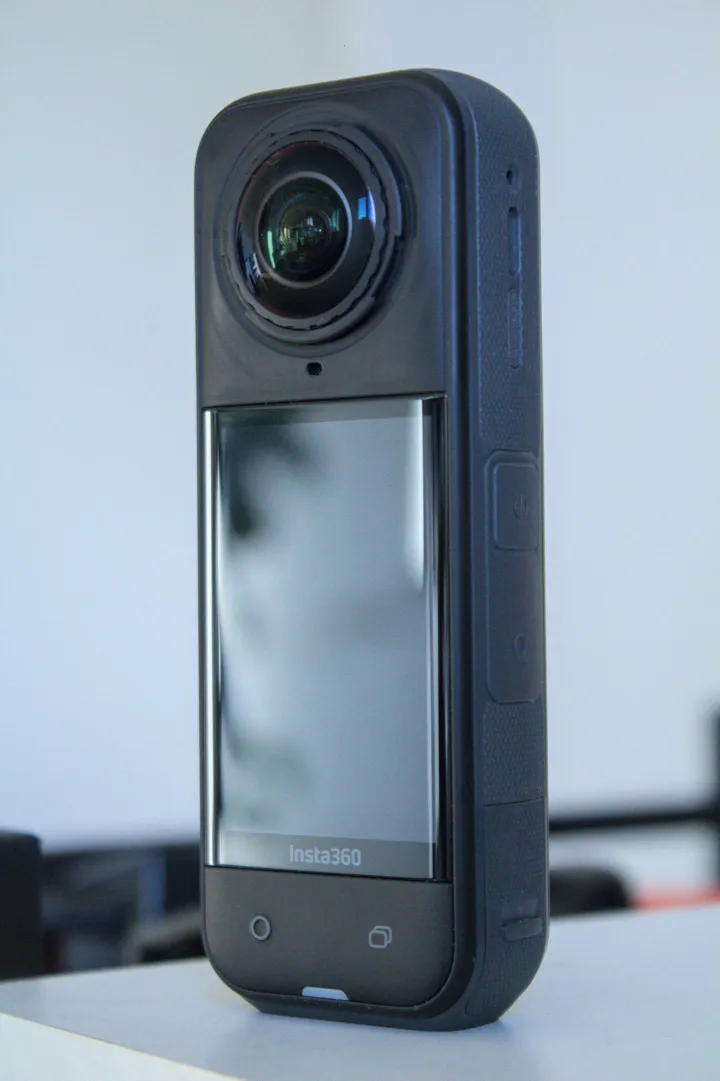
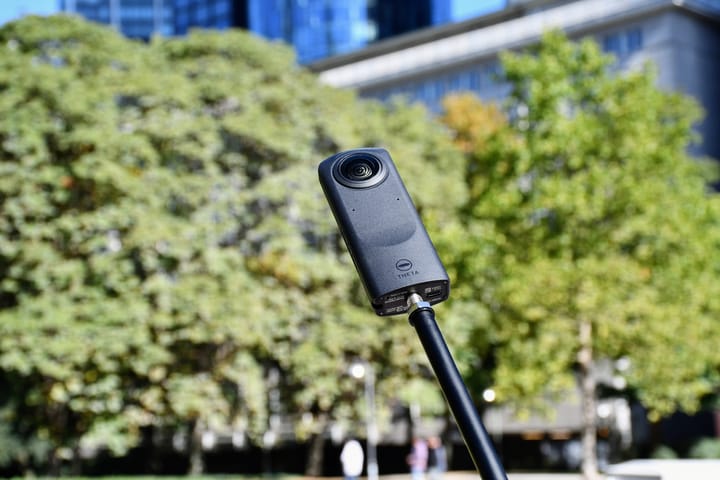
Product photographs are not to scale and are not images captured with the compared cameras.
| Parameter | X5 | Z1 |
|---|---|---|
| Sensor format | 1/ | Two 1-inch-type back-illuminated CMOS sensors |
| Aperture | f/2.0 | f/2.1, f/3.5, f/5.6 |
| Maximum listed panorama / JPEG | 11904 × 5952; 72 MP | 6720 × 3360 |
| Additional dimensions | 5888 × 2944; 18 MP | RAW: 7296 × 3648 |
| Photo formats | INSP, DNG | JPEG, DNG |
| ISO range | 100–6400 | 80–6400 |
| Manual photo shutter | 1/ | 1/ |
| Exposure compensation | ±4 EV | ±2 EV; 1/ |
| White balance | Auto; 2000–10000 K | Auto, presets; 2500–10000 K |
| Minimum focus / shooting distance | 0.6 m | About 0.4 m from lens |
Sources: X5 product specifications, Insta360 hardware table, shooting table and Z1 manual. Minimum shooting distance is not a promise of seamless stitching around a nearby doorframe or railing.
Maximum listed panorama/JPEG width
X5 — 11,904 pixels
Z1 JPEG — 6,720 pixels
Plan the still-photo workflow before comparing samples
Z1 lists aperture-priority, shutter-priority, ISO-priority, manual and automatic shooting. Ricoh requires a smartphone for changing modes or manual settings. Its Stitcher FAQ describes developing DNG first, exporting dual-fisheye JPEG or TIFF, then stitching the sphere. Stitcher can run standalone or as a Lightroom Classic plug-in; the FAQ names Lightroom 13.4 as a confirmed version, not every later software combination.
X5's AEB guide places bracketing inside the HDR Photo selector in 360 Photo mode. Do not copy Z1 aperture/bracketing assumptions into that route. Preserve complete camera originals and verify how your chosen Insta360 app or Studio version processes the selected still format.
For an interior test, use a stable viewpoint facing a bright window, dark furniture and a nearby seam. Complete the supported workflow on each camera, compare equally sized spheres, and record time spent on development, stitching and cleanup. A larger sensor does not guarantee a cleaner result under every setting; a larger panorama does not guarantee more usable detail.
Video is the clearer specification difference
| Parameter | X5 | Z1 |
|---|---|---|
| 8K: 7680 × 3840 | 30/ | Not listed |
| 5.7K+: 5760 × 2880 | 30/ | Not listed |
| 5.7K: 5760 × 2880 | 60/ | Not listed |
| 4K: 3840 × 1920 | 120/ | 29.97 fps |
| 2K: 1920 × 960 | Not listed as ordinary video | 29.97 fps |
| 360 recording format | INSV; H.264 or H.265 | MP4; H.264 |
| Maximum bitrate | 180 Mbps | 56 Mbps at 4K; 16 Mbps at 2K in 51GB launch specification |
| PureVideo | 8K, 5.7K, 4K; 30/ | No equivalent mode listed |
| Color profiles | Standard, Vivid, Flat; product page also lists I-Log | Comparable log profiles not established by cited manual |
| Recorded audio | 48 kHz, 16-bit AAC | AAC-LC mono plus four-channel spatial PCM |
Z1's recording bitrates come from Ricoh's 2021 51GB specification, not its current online manual. They are not live-stream bitrates. Both maximum bitrate and nominal resolution are specification limits, not matched quality measurements.
X5's ordinary 8K30 is not an 8K Active HDR claim: the HDR guide limits X5 Active HDR to 5.7K60 or lower. Its product page and shared manual disagree on the dimensions labelled 4K PureVideo (3840 × 2160 versus 3840 × 1920). Confirm the actual mode/output before promising a delivery size.
A fast social-video route is not a complete tour
X5 single-lens video lists 4K and 2.7K at up to 60 fps, and 1080p at up to 120 fps. FreeFrame lists square 3840 × 3840 capture at up to 30 fps and lower square resolutions at up to 60 fps. These modes are separate from full-sphere footage and are not substitutes for navigable still panoramas.
The shared shooting table also lists X5 Me Mode at 4K30 or lower-resolution 2.7K/1080p up to 120 fps. Its timelapse guide lists 11K, 8K and 5.7K output at 30 fps, with intervals of 0.5, 1, 2, 5, 10, 30, 60 and 120 seconds depending on resolution. Playback frame rate and capture interval are different settings. Z1's manual lists interval and interval-composite still photography; that is not a claim of an equivalent 11K video mode.
The InstaFrame 2.0 guide requires X5 firmware 1.7.43+ and app 2.14.0+. Backup on gives 1080p flat plus 5.7K+ 360 video; backup off allows up to 4K flat only. This distinction matters if the same hotel shoot needs immediate clips and a sphere for later reframing. Z1's cited manual does not list a comparable paired-output mode.
Storage, power and repair planning
| Parameter | X5 | Z1 |
|---|---|---|
| Weight | 200 g | 182 g |
| Width × height × depth | 46 × 124.5 × 38.2 mm, with lenses | 48 × 132.5 × 29.7 mm |
| Display | 2.5-inch LCD; 440 × 696 | 0.93-inch OLED; 128 × 36 status panel |
| Battery | Removable; 2400 mAh | Built-in rechargeable battery |
| Storage | microSD; UHS-I V30 or faster | Internal: about 19 GB original or 51 GB variant |
| USB / Bluetooth | USB-C 3.0 / BLE 5.2 | USB-C 3.0 / Bluetooth 4.2 |
| Wi-Fi listing | 802.11a/n/ac on product page | 802.11a/b/g/n/ac; 2.4/ |
| Operating temperature | −20–40°C | 0–40°C |
| Body waterproof depth | 15 m manufacturer claim | No rating established by cited sources |
| Lens replacement | User-replaceable design documented | No equivalent user procedure established by cited manual |
Z1 display/wireless figures are in Ricoh's archived catalogue. Confirm which storage edition a used Z1 actually is and assess its built-in battery condition. X5 spares provide a different downtime strategy, but require model-specific batteries and protection.
X5 lists about 93 minutes at 8K30 or 135 minutes at 5.7K30 in laboratory conditions. Its 208-minute headline instead uses 5.7K24 Endurance Mode. Ricoh quotes about 300 still images or 60 minutes of video using its own method. These are not equivalent workloads or guarantees of all-day RAW capture. X5's full-charge claim is about 35 minutes with the specified 30 W PD3.0 PPS setup, camera off.
User-replaceable lenses do not eliminate handling risk. Learn the manufacturer's procedure and carry suitable protection. A water-depth claim also does not promise clean underwater stitching or suitability for every construction hazard.
Check editing hardware before changing systems
X5's product page lists A12 with iOS 13 or later, or Android examples starting with Snapdragon 855, Kirin 990 and Exynos 2200, with Android 10 or HarmonyOS 2. It requires a 64-bit phone system, excludes SDM765 5G decoding and HarmonyOS NEXT, and applies additional restrictions to AI editing features. These published baselines do not guarantee smooth editing on every listed device or support from every future app release.
For Z1, test the intended RAW developer and Stitcher combination on the actual computer. For X5, test the highest-resolution video and still files you intend to process. A phone that controls the shutter may not be a practical editing station. Keep untouched masters and verify a separate backup before deleting camera originals.
Real estate, construction and travel choices
Real estate: evaluate Z1's aperture and RAW route against the X5 still workflow at a common delivery size. Video noise-reduction features do not establish the quality of a dedicated room photograph.
Construction: X5's removable power and protection can help a field plan; Z1 requires suitable protection and charging arrangements. If changing systems, capture an overlapping reference visit so a rendering change is not mistaken for a physical site change. See our construction-site virtual-tour workflow. Neither camera is presented as a survey instrument.
Travel: X5 covers more documented motion-video tasks; Z1 is lighter and remains an option for deliberate still capture. Preserve full destination panoramas for owner-operated Panorra separately from promotional clips. No verified direct platform integration is claimed.
Compare results and total working cost
Use current quotes for camera, protection, support, spare power and software. Include processing time rather than assuming the newer camera or bigger sensor always pays for itself. Read the individual X5 and Z1 guides, continue to X5 vs X6 or Theta X vs Z1, or use the comparison directory.





Comments ()