Ricoh Theta X vs Z1: Specifications and Virtual Tour Workflows
Technical comparison · Real estate and business tours
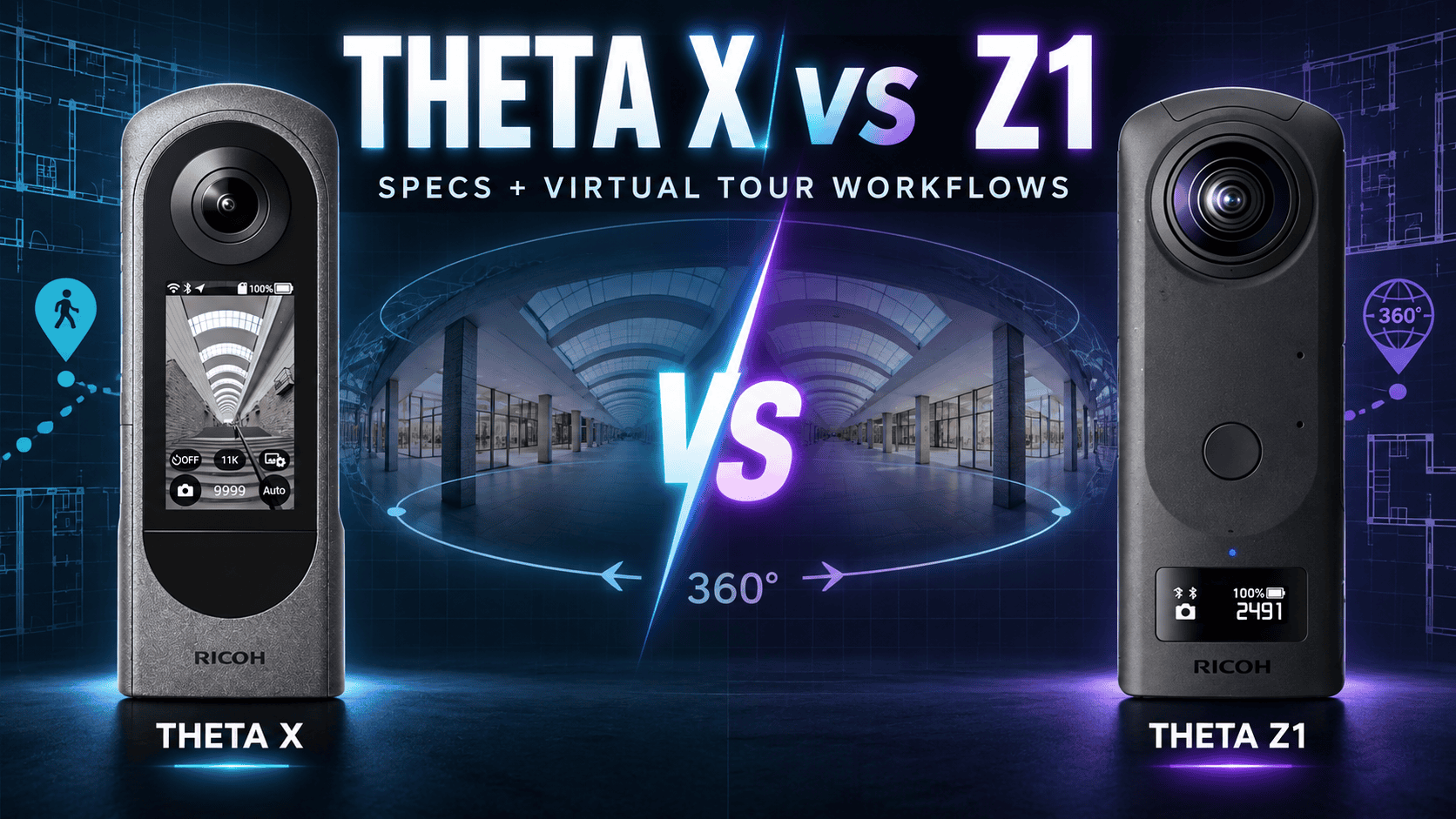
The Theta X combines higher-resolution JPEGs with a touchscreen, removable battery and memory-card slot. The Z1 combines larger sensors with selectable apertures and native DNG capture. The important correction to older comparisons: the Theta X also has an official HDR-DNG plug-in, so “JPEG versus RAW” alone no longer describes the choice.
Which workflow should you shortlist?
Shortlist the Theta X when on-camera operation, replaceable power and removable storage are central to your working day. Shortlist the Z1 when you specifically want its larger sensor format, aperture choices and established DNG editing route. These are workflow distinctions, not proof that one will produce a better finished panorama in every room.
For an existing owner, first identify the limitation you are trying to solve. A larger output file may help one delivery requirement without reducing editing time. Conversely, changing aperture or developing RAW may be useful without increasing the final panorama dimensions. Compare complete exports from the same difficult interior before replacing a working kit.
Sensors, lenses and still-photo specifications
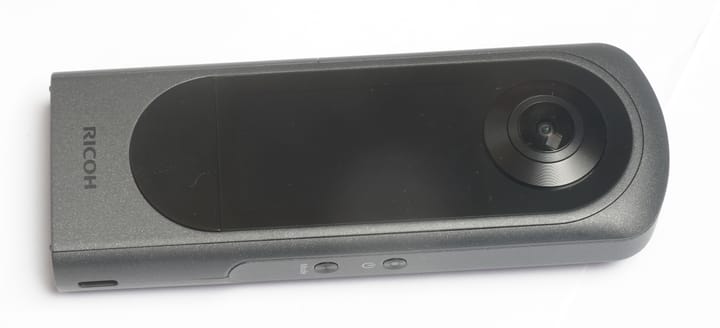
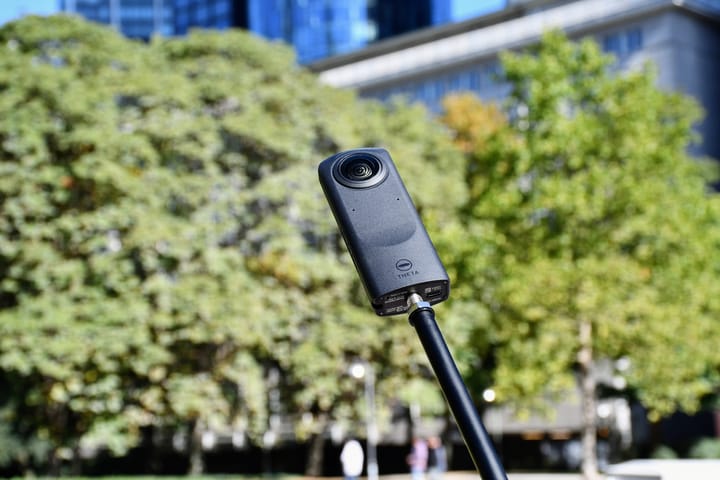
Product photographs are not shown to scale and are not image-quality samples captured by these cameras.
| Parameter | Theta X | Theta Z1 |
|---|---|---|
| Sensor format | Two 1/2-inch-type sensors | Two 1-inch-type back-illuminated CMOS sensors |
| Aperture | f/2.4 | f/2.1, f/3.5, f/5.6 |
| Lens construction | 7 elements in 7 groups | 14 elements in 10 groups per lens |
| Exposure modes | Auto, shutter priority, ISO priority, manual | Auto, shutter priority, ISO priority, aperture priority, manual |
| JPEG dimensions | 11008 × 5504 or 5504 × 2752 | 6720 × 3360 |
| RAW route | Official HDR-DNG plug-in; separate from standard JPEG mode | DNG; manufacturer file dimensions 7296 × 3648 |
| Manual photo shutter range | 1/16000–60 seconds | 1/25000–60 seconds |
| ISO range | 50–3200 | 80–6400 |
| Exposure compensation | ±2 EV, 1/3-stop steps | ±2 EV, 1/3-stop steps |
| Color-temperature setting | 2500–10000 K | 2500–10000 K |
| Minimum shooting distance | Approximately 40 cm | Approximately 40 cm |
Sources: Theta X manual, Theta Z1 manual and X HDR-DNG documentation. Minimum shooting distance is not a promise of seamless stitching at that distance. Sensor-format labels and ISO ceilings also do not quantify delivered noise or dynamic range.
JPEG panorama width: what the numbers actually compare
Maximum listed JPEG width
Theta X — 11,008 pixels
Theta Z1 — 6,720 pixels
Inspect both exports at the same viewer zoom and delivery resolution. A hosting service may resize the larger file, while sharpening or compression may change apparent detail. Preserve full-resolution masters independently of client-facing web copies.
Theta X HDR-DNG is a separate production route
Ricoh's official plug-in combines four RAW captures into a 16-bit HDR-DNG. Its installation documentation specifies firmware 2.61.0 or later; Ricoh's September 2024 procedure says the function is available from 2.60 and pre-installed from 2.61.0. Use the documented pre-installed route rather than assuming every older X already has it.
- Connect the phone using the camera's AP Wi-Fi mode, not client mode, and open the plug-in web interface.
- Secure the camera on a tripod. Ricoh allows around ten seconds for processing after release; that is not a measured complete-job time.
- Develop the DNG in RAW software, then export a dual-fisheye JPEG or RGB TIFF for Theta Stitcher. Its supported TIFF depth is 8 or 16 bits.
- Stitch and inspect the exported sphere before upload. Preserve the original DNG and avoid overwriting your only master.
The manufacturer's workflow guide confirms Lightroom Classic 13.5 in its 2024 instructions, not every later application or OS combination. It also directs users to disable Auto Align when using Lightroom HDR Merge. Test your installed software before a paid shoot.
That distinction matters for quoting a job. A quick JPEG workflow and a developed-and-stitched workflow have different handoff steps. Establish which route meets the brief, then budget its processing time. For bracketed capture, arrange a quiet scene and check movement around people, curtains and vegetation through windows.
What an independent comparison found—and its limit
An independent January 2024 comparison favored the Z1's edited Dual Fisheye workflow for dynamic range in its interior scene, while placing the Theta X ahead for sharpness. It also observed purple fringing around a window in the Z1 image. These are that reviewer's observations, not our measurements. The review includes commercial links and predates the X HDR-DNG workflow documented above, so it cannot establish a current Z1-versus-X-HDR-DNG winner.
Our practical takeaway: request full-resolution examples made with the workflow you actually plan to use. Compare window edges, wall texture and stitching at matching output sizes; do not treat a historical ranking or this specification chart as a substitute.
Video and audio specifications
| Parameter | Theta X | Theta Z1 |
|---|---|---|
| Highest listed dimensions | 7680 × 3840 at 10 or 2 fps | 3840 × 1920 at 29.97 fps |
| Other 360 recording modes | 5760 × 2880 at 30/10/2 fps; 3840 × 1920 at 60/30 fps; 1920 × 960 at 30 fps | 1920 × 960 at 29.97 fps |
| Recording bitrate | Up to 120 Mbps in selected modes; not every mode | 56 Mbps at 4K; 16 Mbps at 2K, per Ricoh's 51GB launch specification |
| USB live streaming | 3840 × 1920 or 1920 × 960 at 30 fps | 3840 × 1920 or 1920 × 960 at 29.97 fps |
| Clip-length setting | Up to 5 or 25 minutes | Up to 5 or 25 minutes |
| Recording codec/container | H.264 / MP4 | H.264 / MP4 |
| Recorded audio | AAC-LC, one channel | AAC-LC mono plus four-channel spatial PCM |
The X's 8K label does not mean 8K30 video. Its manual also restricts Wi-Fi operation for 8K10, 5.7K30, 5.7K10 and 4K60: turn wireless LAN off, or follow the specified external-power configuration with the battery removed. Both manuals warn that elevated internal temperature can stop recording. Neither video specification establishes still-tour capture speed.
The Z1 recording bitrates come from Ricoh's 2021 Z1 51GB specification; the current online manual omits them. Recording and live-stream bitrates are not interchangeable. We have not measured stabilization performance or sustained thermal limits for either camera.
Storage, power and field handling
| Parameter | Theta X | Theta Z1 |
|---|---|---|
| Internal storage | Approximately 46 GB | Approximately 19 GB original; 51 GB variant |
| Removable storage | microSDXC, 64 GB or larger, UHS-I V30, exFAT | Internal storage only in the listed specification |
| Battery | Removable DB-110, 1350 mAh | Built-in rechargeable battery |
| Manufacturer still-photo endurance | Approximately 250 images | Approximately 300 images |
| Manufacturer video endurance | Approximately 30 min at 5.7K30; 55 min at 4K30 | Approximately 60 min |
| USB | Type-C, USB 3.2 Gen 1 | Type-C, USB 3.0 |
| Width × height × depth | 51.7 × 136.2 × 29 mm | 48 × 132.5 × 29.7 mm |
| Weight | 170 g including battery and card | 182 g |
| Operating temperature | 0–40°C | 0–40°C |
Memory capacity and battery endurance are different limits. Check available storage before a long site visit and retain independent backups after copying files. For a used Z1, confirm which storage version is being sold; the newer capacity does not make the older unit expandable.
Endurance figures use Ricoh's own methods; the X manual identifies firmware 1.20.0 for its battery tests. They are not matched HDR-DNG workloads, guaranteed all-day capture counts or our sustained-video results. Carrying spare X batteries addresses downtime, whereas a Z1 owner should plan charging breaks and assess the battery condition of a used unit.
Controls, connectivity and capture accessories
| Parameter | Theta X | Theta Z1 |
|---|---|---|
| Display | 2.25-inch 360 × 640 capacitive touchscreen | 0.93-inch 128 × 36 OLED information panel |
| Wi-Fi | 802.11a/b/g/n/ac; 2.4/5 GHz, region-dependent | 802.11a/b/g/n/ac; 2.4/5 GHz, region-dependent |
| Bluetooth | 5.0 | 4.2 |
| Location | Built-in GNSS: GPS, GLONASS, QZSS, SBAS and A-GPS support | No built-in GNSS specified in the cited manual; verify location metadata in your phone workflow |
| Remote release | Optional TR-1 | Optional TR-1 or CA-3 |
| Selected still functions | HDR, handheld HDR, continuous, Time Shift, interval, multi-bracket; 1–10-second self-timer | HDR, dynamic-range compensation, interval, interval composite, multi-bracket; 2/5/10-second self-timer |
Sources: the manuals above and Ricoh's archived product catalogue for the Z1 display and wireless hardware. The Z1 manual requires a smartphone to change modes or configure manual settings; its status display does not replace the X's touch interface. Neither a Bluetooth version nor a USB data standard guarantees a particular transfer speed in your job.
Budget for stable support, lens protection, storage and the software needed for the chosen editing route. The X manual names the K-AC166 external-power kit for its specified high-resolution Wi-Fi video configuration. An indoor tour kit is not automatically rainproof construction equipment: no water-resistance rating is established by the sources used here. Position the camera away from site hazards and follow local access rules.
Real estate, construction and travel delivery
For property interiors, inspect a bright window, a neutral wall, a nearby doorway and the floor beneath the camera in the final sphere. These expose different problems that a resolution chart cannot resolve. Do not use a manufacturer's HDR label as evidence that every window scene will be rendered naturally.
For construction documentation, record fixed viewpoint IDs, capture dates and any changes of camera or processing route. A change in rendering should not be mistaken for a physical change on site. This comparison makes no survey-accuracy or defect-detection claim.
For travel storytelling on owner-operated Panorra, plan a backup route and protect both lenses during transport. Confirm the actual upload and viewing workflow before departure; this publication has not run an end-to-end compatibility test for either camera.
Continue researching the complete workflow
Read the individual Theta X guide and Theta Z1 guide for software caveats and source context, or return to the comparison directory.





Comments ()