Insta360 X5 vs Ricoh Theta X: Full Specs and Tour Workflows
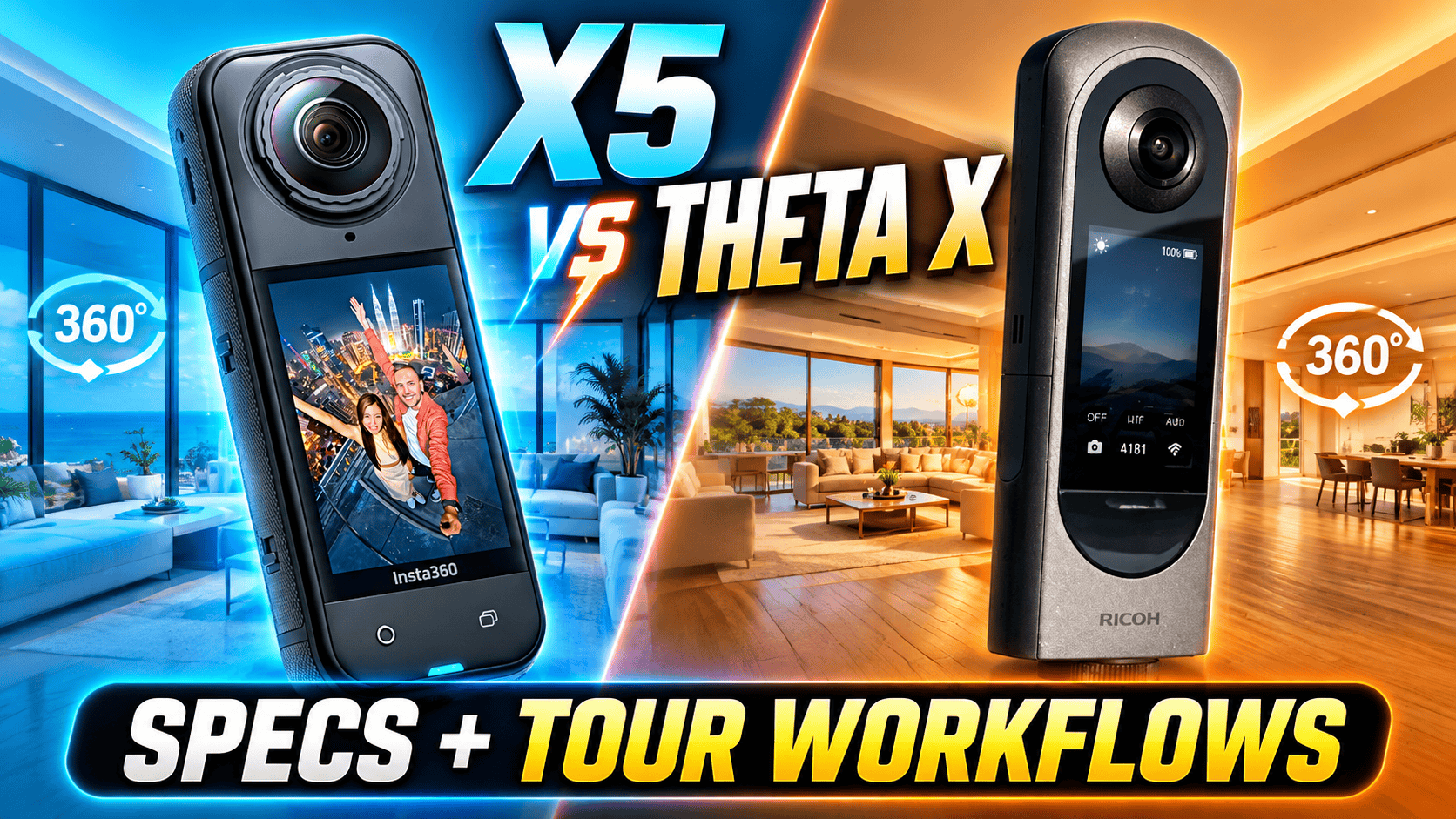
Technical comparison · Hybrid video capture and still-tour production
X5 offers ordinary 8K video, higher frame rates and user-replaceable lenses. Theta X offers internal recording storage, location hardware and a standard JPEG workflow with an optional HDR-DNG route. Both have touchscreens and removable batteries, but they solve different production problems.
Choose around the deliverable
Shortlist X5 for mixed still and motion-video work. Its 8K24/25/30 and 4K100/120 spherical modes provide recording choices Theta X does not list. That is a concrete capability difference for travel clips and reframing, not a claim that every X5 frame is cleaner or sharper.
Shortlist Theta X when the main job is a repeatable still-tour workflow. Internal storage and location hardware may simplify your field plan. Compare its ordinary JPEG route with its separate HDR-DNG route before deciding whether more editing control is worth extra processing.
If you already own Theta X, distinguish adding motion-video capability from replacing a still camera. X5 can address the first need without proving that it improves your finished room panoramas. Test an actual room through the intended delivery viewer before changing a working system.
Photo, sensor and exposure specifications
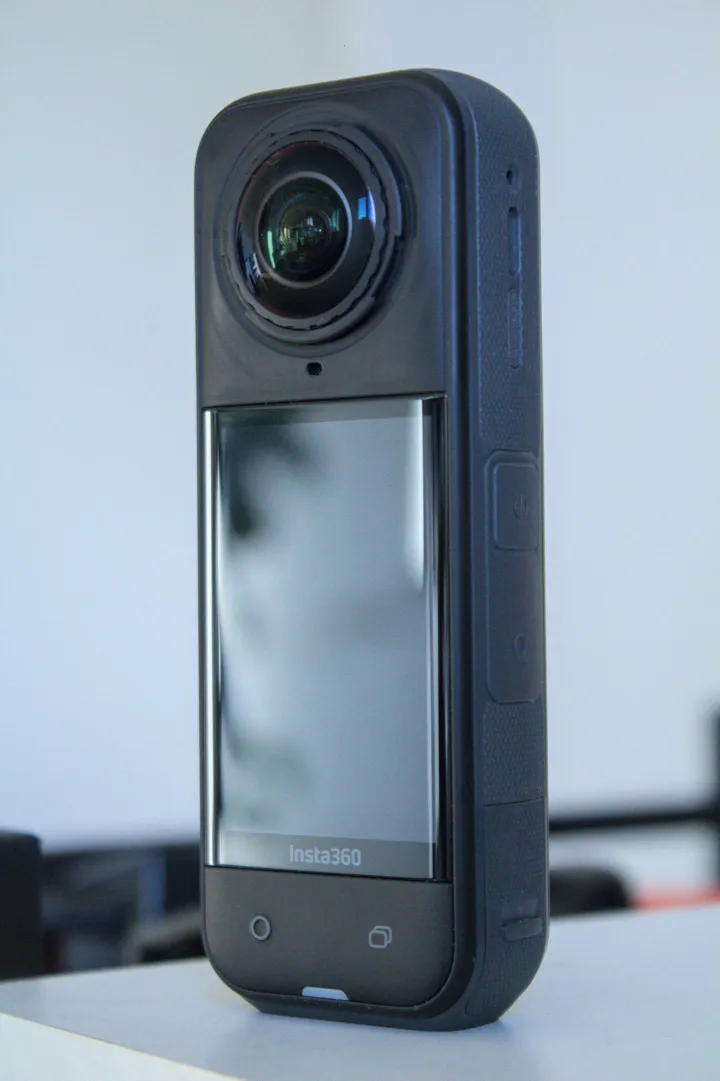
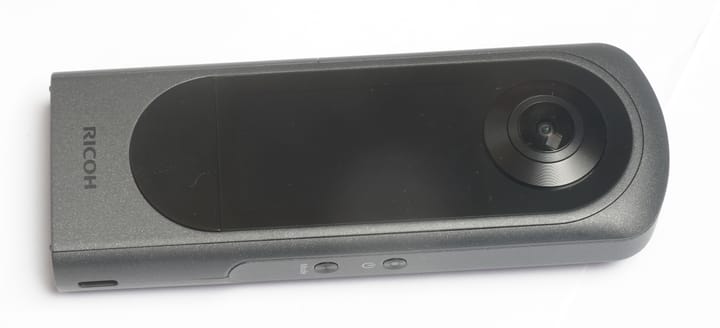
| Parameter | X5 | Theta X |
|---|---|---|
| Sensor format | 1/1.28-inch type | Dual 1/2-inch type |
| Aperture | f/2.0 | f/2.4 |
| Largest panorama | 11904 × 5952; 72 MP | 11008 × 5504; 60 MP |
| Smaller panorama | 5888 × 2944; 18 MP | 5504 × 2752; 15 MP |
| Still formats | INSP, DNG | Standard JPEG; separate HDR-DNG plug-in |
| ISO | 100–6400 | 50–3200 |
| Manual still shutter | 1/8000–120 sec | 1/16000–60 sec |
| Exposure compensation | ±4 EV | ±2 EV; 1/3-EV steps |
| Color temperature | 2000–10000 K | 2500–10000 K |
| Minimum focus distance | 0.6 m | Approximately 0.4 m |
References: X5 product specifications, Insta360's shooting table and Theta X manual. Focus distance is not a guaranteed stitching distance. Inspect nearby furniture and doorframes that cross the seam.
Maximum specified panorama width
X5 — 11,904 pixels
Theta X — 11,008 pixels
RAW availability does not make the workflows identical
| Route | Capture | Before delivery |
|---|---|---|
| X5 stills | INSP/DNG; photo, HDR and other modes listed | Verify format and processing support in the chosen app/Studio version |
| Theta X standard | JPEG; HDR rendering and handheld HDR listed | Check the finished panorama in the destination viewer |
| Theta X HDR-DNG | Four RAW captures combined into HDR-DNG | Develop dual-fisheye JPEG/TIFF, then stitch |
The official Theta X plug-in supplies a real RAW-derived option; calling this camera JPEG-only would omit it. Ricoh specifies firmware 2.61.0 or later for the installation route. This is separate from its ordinary JPEG mode, not a claim that every standard shooting function outputs DNG.
Ricoh's workflow instructions describe 16-bit output, AP-mode Wi-Fi and a stable support, with roughly ten seconds of processing after release. Develop to dual-fisheye JPEG or 8/16-bit RGB TIFF before using THETA Stitcher. Its confirmed Lightroom Classic 13.5 reference is a tested version in that guide, not a guarantee for every later release. Disable Auto Align if using the described Lightroom HDR Merge route.
For an interior evaluation, use the same viewpoint, lighting and finished viewing size. Compare highlights through a window, dark wall texture, moving foliage and the time spent fixing seams. Do not extrapolate X5 video noise-reduction marketing to still-photo dynamic range, or assume that a larger RAW file automatically produces a better hosted panorama.
Theta X's Multi Bracket accepts 2–13 parameter sets, each with shutter, ISO and white-balance settings. This is not the same operation as the four-frame HDR-DNG plug-in. Its interval still mode offers 6 seconds–60 minutes in one-second steps, 2–200 shots or an unspecified count, and either 11008 × 5504 or 5504 × 2752 output. Those controls are useful for repeat documentation; they do not establish cloud upload, automatic registration or construction-measurement accuracy.
8K means different things here
Theta X's Time Shift still capture exposes its lenses sequentially so the photographer can move out of view: first-lens delay 0–10 seconds, second-lens setting 1–10 seconds, in one-second steps. It is not the accelerated-motion video effect bearing a similar name on X5. Moving people or machinery can change between the two exposures.
| Mode | X5 | Theta X |
|---|---|---|
| 8K: 7680 × 3840 | 24/25/30 fps | 2/10 fps |
| 5.7K+: 5760 × 2880 | 24/25/30 fps | No separate plus mode listed |
| 5.7K: 5760 × 2880 | 24, 25, 30, 48, 50, 60 fps | 2/10/30 fps |
| 4K: 3840 × 1920 | 24, 25, 30, 48, 50, 60, 100, 120 fps | 30/60 fps |
| 2K: 1920 × 960 | Not listed as ordinary video | 30 fps |
| Recording format | INSV; H.264/H.265 | MP4; H.264 |
| Maximum bitrate | 180 Mbps | 120 Mbps in selected modes |
| Audio | 48 kHz, 16-bit AAC | One-channel AAC-LC |
| Single-lens video | 4K/2.7K up to 60 fps; 1080p up to 120 fps | Not listed |
| USB live streaming | Not established in this comparison | 4K30 or 2K30 listed |
X5's ordinary 8K30 is the more appropriate specification for conventional motion-video playback than Theta X's 8K10/2. A full-sphere resolution still does not become the same resolution in a forward-facing crop. Preserve the sphere if the client wants immersive playback as well as reframed clips.
Theta X's selectable bitrates, in Mbps, are 120/96/40 at 8K10; 64/32/16 at 8K2; 120/64/32 at 5.7K30; 80/60/40 at 5.7K10; 16/12/8 at 5.7K2; 120/64/32 at 4K60; 100/54/32 at 4K30; and 32/16/8 at 2K30. USB streaming instead lists 100 Mbps at 4K30 or 32 Mbps at 2K30, with mono linear PCM audio. These are mode specifications, not equivalent visual-quality scores.
X5 single-lens recording uses 3840 × 2160 or 2720 × 1536 at 24, 25, 30, 50 or 60 fps, and 1920 × 1080 adds 100/120 fps. FreeFrame's square masters reach 3840 × 3840 at 24/25/30 or 2720 × 2720 at up to 60 fps. The manual lists 1920 × 1920 for its lowest FreeFrame setting, while the product page says 1920 × 1080; verify a sample before building an automated crop workflow around that setting. Me Mode lists 4K up to 30 fps and 2.7K/1080p up to 120 fps, with format dependent on frame rate.
X5 PureVideo offers 8K and 5.7K at 24/25/30 fps. Its 4K spherical dimensions also conflict between the manual (3840 × 1920) and product page (3840 × 2160), so we do not silently treat those as interchangeable. Standard, Vivid and Flat profiles are listed, and the current product page also lists I-Log. None establishes a measured dynamic-range advantage in this comparison.
Theta X requires Wi-Fi off for 8K10, 5.7K30, 5.7K10 and 4K60, unless using the specified external-power setup with the battery removed. Ricoh's video restrictions quote roughly ten minutes at 5.7K30/4K60 at 25°C before heat limitations, potentially shorter in other conditions. Its general five- or twenty-five-minute setting is not an unconditional sustained-recording promise.
The same Ricoh FAQ says 5.7K30 cannot transfer to a smartphone and makes 4K60 transfer device-dependent. Include a computer or card-reader path in your plan. A phone that can trigger a capture is not necessarily able to edit or receive every file.
HDR and reframing modes: X5 lists Active HDR up to 5.7K60, distinct from ordinary 8K video, plus FlowState stabilization and 360° Horizon Lock. These features are capture/editing options, not measured proof of sharper still panoramas. A flat social clip also does not preserve the full viewing sphere.
With InstaFrame 2.0, X5 can record 4K30 flat output only when 360 Video Backup is disabled. Enable the backup and the documented combination is 1080p30 flat plus 5.7K+30 spherical video. The guide requires firmware 1.7.43 and app 2.14.0 or later. Its tracking targets a single person, not objects or animals, and cannot operate simultaneously with the virtual joystick. Choose the backup setting before a paid capture: a flat-only recording cannot later restore the missing views.
Storage, power and maintenance
X5's timelapse guide lists 11K, 8K and 5.7K playback at 30 fps, with capture intervals of 0.5, 1, 2, 5, 10, 30, 60 or 120 seconds depending on resolution. This is separate from both ordinary motion recording and Theta X's interval still sequence. Plan power and weather protection for the whole capture period, not the duration of the finished clip.
| Parameter | X5 | Theta X |
|---|---|---|
| Listed weight | 200 g | 170 g with battery/card; 144 g body-only |
| Dimensions including lenses | 46 × 124.5 × 38.2 mm | 51.7 × 136.2 × 29 mm |
| Touchscreen | 2.5-inch LCD; 440 × 696 | 2.25-inch LCD; 360 × 640 |
| Removable battery | 2400 mAh | DB-110; 1350 mAh |
| Recording storage | microSD up to 1 TB; UHS-I, V30 or higher, exFAT | About 46 GB internal; microSDXC ≥64 GB, UHS-I V30, exFAT |
| USB | USB-C 3.0 | USB-C 3.2 Gen 1 |
| Bluetooth | BLE 5.2 | 5.0 |
| Wi-Fi | 802.11a/n/ac | 802.11a/b/g/n/ac; bands depend on region |
| Working temperature | −20–40°C | 0–40°C |
| Body water rating | 15 m manufacturer claim | No rating established here |
| User lens replacement | Documented design | No equivalent procedure established here |
| Location hardware | Built-in GNSS not established here | GPS/GLONASS/QZSS/SBAS; A-GPS |
X5 hardware figures are also listed in the hardware manual. Internal storage is useful when planning Theta X capture, but it is not an independent backup.
X5's charging claim is 80% in approximately 20 minutes with the camera off, a PD3.0 PPS-certified 30 W USB-C charger and a 25°C laboratory environment. Budget charging time around the actual adapter, ambient temperature and whether the camera is recording; the headline is not a field guarantee.
X5 quotes about 93 minutes at 8K30 and 135 minutes at 5.7K30; its 208-minute headline instead uses 5.7K24 Endurance Mode. Theta X quotes about 250 stills, 30 minutes at 5.7K30 or 55 minutes at 4K30 under Ricoh's method with firmware 1.20.0. These are different workloads and conditions, not evidence of an equivalent number of rooms per charge.
X5's replaceable lenses change the maintenance plan, not the need for careful handling. Protect protruding lenses during transport, learn the documented replacement procedure and verify the repaired camera before a paid job. A waterproof depth claim does not establish underwater stitching quality or suitability for every construction environment.
Validate editing and delivery before changing cameras
X5's storage compatibility guide explicitly excludes UHS-II/UHS-III and cards above 1 TB; a nominally faster card is not automatically supported. Its hardware manual lists both a 1/4-inch mount and quick-release attachment. Confirm the full support and cable setup before leaving for a site.
The shared AEB instructions explicitly include X5: select AEB through HDR Photo within 360 Photo mode. We have not established model-specific bracket-count, exposure-step or every RAW/mode combination from that guide; do not substitute Theta X's 13-set control for an assumed X5 equivalent.
The X5 product page's phone baseline is A12/iOS 13 or newer, or supported Snapdragon 855, Kirin 990 and Exynos 2200-class devices with Android 10/HarmonyOS 2 or newer. A 64-bit system is required; SDM765 and HarmonyOS NEXT are excluded. Some AI tools impose additional requirements. Check the current app listing too: this published compatibility baseline is not a guarantee that every high-resolution workflow runs smoothly.
For X5, test the actual photo format and highest-resolution video you intend to deliver in the Insta360 app or Studio. For Theta X HDR-DNG, test RAW development and Stitcher together. Keep capture originals, processed masters and hosted delivery files separate, and verify a second copy before clearing recording media.
Judge a full pilot job: capture, offload, develop, stitch, inspect and upload. Record time spent waiting as well as active editing. An export that looks good in a flat preview may still show stitching errors when a client rotates the panorama near a doorway.
Real estate, construction and travel decisions
Real estate: compare Theta X JPEG and HDR-DNG separately against the intended X5 still mode. An existing JPEG process that meets the client's brief may not benefit from adding development steps everywhere. Reserve more complex processing for scenes that justify it.
Construction: Theta X's location hardware can help organize files, but it is not survey accuracy or automatic BIM alignment. X5's protection and lens maintenance options address different field concerns. Keep viewpoint IDs, dates and processing consistent; our construction-site virtual-tour workflow covers repeat visits.
Travel: X5 offers the broader documented motion-video range; Theta X can still suit deliberate destination panoramas. For owner-operated Panorra, preserve immersive masters separately from social crops. No direct integration test is claimed.
Continue the comparison
Read the individual X5 and Theta X guides, compare X5 vs Theta Z1 or X5 vs X6, and return to the comparison directory. Compare current complete-kit quotes and processing costs; no permanent price winner is invented here.





Comments ()