Insta360 ONE R for Real Estate: 360 Module & HDR Workflow
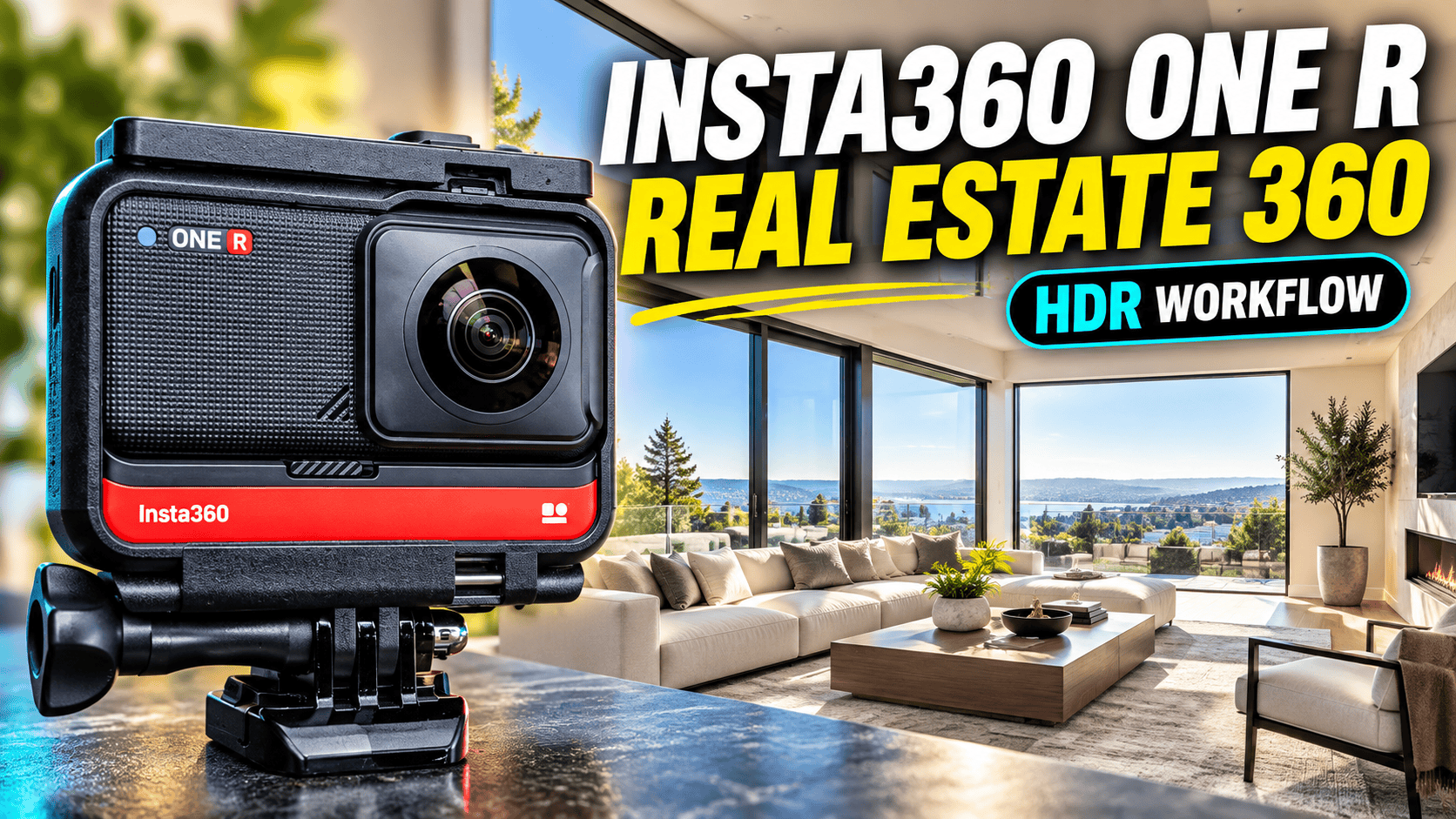
Modular camera guide · Dual-Lens 360 still photography
The ONE R is a camera system, not one fixed lens configuration. For spherical property photographs, the relevant option is the Dual-Lens 360 module. Its usefulness depends as much on correct file handling and processing as on the hardware.
Our assessment: modular versatility has a cost
A ONE R kit makes sense to evaluate when you genuinely need both conventional wide-angle footage and spherical photographs. If the work is almost entirely room-by-room virtual tours, assess whether changing modules adds value or simply more equipment to manage.
For a used purchase, require a demonstration with the exact module, core, battery and mounting hardware included in the sale. A working wide-angle recording does not prove that the supplied kit can produce a spherical still. For an existing owner, test the complete property workflow before assuming a newer camera is necessary.
Three lens options—not three equivalent panorama cameras
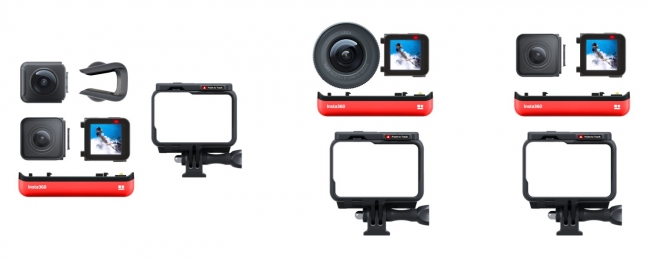
| Module | Documented still dimensions | Relevance to this guide |
|---|---|---|
| Dual-Lens 360 | 6080 × 3040, 2:1 | Spherical property scenes |
| 4K Wide Angle | 4000 × 3000 or 4000 × 2250 | Conventional photographs, not single-shot full spheres |
| 1-Inch Wide Angle | 5312 × 3542 or 5312 × 2988 | Different optics; not the later 1-Inch 360 model |
Source: Insta360's ONE R photo FAQ. It lists Standard, HDR, Burst, Interval, Night Shot and a Star Shot preset. Do not use a sample from a wide-angle module to judge Dual-Lens 360 image quality.
Our buying checklist starts with photographs of the actual kit and a full-size spherical sample from it. Confirm the presence of both fisheye lenses. A listing that says “ONE R 1-Inch” should trigger a configuration check, not an assumption that it is a large-sensor 360 camera.
The manufacturer's hardware FAQ gives the Dual-Lens 360 build an f/2.0 aperture, a 7.2 mm equivalent focal length and dimensions of 72 × 48 × 43 mm with the standard Battery Base. Those figures are specific to this configuration. They do not describe the f/3.2 1-Inch wide-angle module, and the body dimensions should not be treated as the packed size of a bracket, tripod and spare-module kit.
The easily missed rule: retain matching INSP files
The manufacturer's photo-format table specifically assigns INSP and RAW to the Dual-Lens 360 module: INSP can be exported through the app or Studio, while RAW requires desktop editing. The wide-angle modules' JPEG entries are not evidence of in-camera spherical JPEG output from the 360 module. For a phone-only property service, prove the INSP-to-delivery route first; for RAW work, include desktop processing in the job plan.
Insta360's Studio operating FAQ says HDR grouping requires at least three photographs from the same group, while Night Shot requires at least nine. For DNG grouping, the corresponding INSP files must be in the same folder because Studio reads their grouping information. The documented combined DNG-group workflow exports a JPEG.
Our practical recommendation is to archive the whole capture folder before selectively importing or deleting anything. Do not assume that keeping only files with a RAW extension preserves every piece of information used by the manufacturer's workflow. If a group is not recognized, check the complete file set before recapturing the room.
The support page also describes paired files for certain 360 videos. That is a separate requirement from photo grouping; avoid mixing a video troubleshooting procedure into a still-photo job without identifying which file type you actually have.
The current Studio file-export guide explicitly includes ONE R among supported models. It documents starting an export from the media's context menu or the export button, checking the output settings and following progress in Task Center. Its application-wide format list includes JPG and DNG, but that does not override the ONE R-specific combined-group JPEG result above or establish every mode/format combination. Verify the output from your chosen capture mode rather than treating the software's complete format list as a camera capability table.
Grouping requirements affect how you archive a job
Minimum same-group photo count documented for Studio recognition
HDR group — at least 3 photos
Night Shot group — at least 9 photos
For a property service, label the scene at the folder or job-management level and keep each source group intact. A finished panorama may be represented by several capture files. Count delivered scenes separately from source files when estimating storage, reviewing coverage or invoicing.
What a first-hand reviewer found
In Suzi Pratt's first-hand ONE R review, the touchscreen was her quickest way to control the camera, though the menu required learning. She found changing modules took time and noted the mounting bracket's role in tripod use. Her review distinguishes sample photographs by module—an important detail when evaluating the camera.
Her positive month-long reliability experience is evidence about that test period, not a guarantee for a used unit or today's software. We also do not treat the review's wide-angle PureShot examples as proof of an identical Dual-Lens 360 result. Module-specific evidence matters more than the shared ONE R name.
There is also directly relevant property-photo evidence in Mic Ty's February 2020 report of his comparison with Ben Claremont. The ONE R was not available for their original session: Ben photographed additional scenes later in similar conditions. Mic reports better dynamic range than the ONE X using the ONE R's nine-shot DNG mode, with similar apparent detail. This is a useful historical observation about a multi-image workflow, not a simultaneous controlled test or a measured advantage for today's firmware.
In Ben's later first-hand comparison with the 1-Inch 360 Edition, he observed more sky noise and less distinct distant structure in the original 360-lens footage. That section concerns video; it must not be converted into a score for bracketed interior stills. Together, these sources reinforce two separate checks for a business buyer: assess the exact module, then assess the exact still-photo processing route. Do not transfer the newer large-sensor model's results to an original ONE R kit.
Real-estate interiors: compare ordinary, HDR and Night Shot output
For our proposed acceptance test, use a static room with bright windows and darker furnishings. Process an ordinary still and the multi-image modes you intend to use. Compare them at the same viewing angle in a spherical viewer, inspecting window boundaries, shadow color and the seam separately.
Keep the support stationary during any sequence. Moving curtains, people, doors and displays can complicate a merged result. A cleaner-looking shadow does not prove that every moving object has been combined correctly, and an HDR workflow cannot be judged from a thumbnail alone.
Do not combine all improvements into one vague claim of “better quality.” Record whether a change improves exposure, noise, stitching or consistency across rooms. Then measure the time needed to obtain an accepted scene. This makes it possible to choose a repeatable business process instead of applying the longest processing route to every space.
From modular camera to a client-ready tour
For storage, the ONE R basic-operation guide specifies exFAT, UHS-I/V30 microSD media and a maximum of 1 TB. The separate storage FAQ excludes UHS-II and UHS-III cards. Choose a documented compatible card and verify recording plus file retrieval before a paid assignment; a card's capacity alone does not establish compatibility.
Insta360's power FAQ lists a 1,190 mAh standard Battery Base and a 2,380 mAh Boosted Battery Base. It estimates about 70 minutes for the standard Dual-Lens 360 build, but does not make that a count of HDR scenes or an all-day site guarantee. Its documented standard-battery cable charge takes approximately 65 minutes at 5 V/2 A. For an older kit, assess the actual battery's condition and carry a tested spare rather than budgeting work from its original capacity alone.
- Check the assembled kit. Confirm the intended module, secure mounting and sufficient power before the job.
- Prove control. Test the camera's settings and any remote-control workflow on your actual devices.
- Archive complete sources. Preserve photo groups and their corresponding files before editing.
- Inspect the spherical master. Review seams, horizon, exposure and privacy edits in all directions.
- Verify hosting. Test format acceptance, initial view, room links and mobile performance after upload.
GoThru operates this publication. We have not completed a ONE R-specific upload/export test for this guide. The existence of a documented JPEG workflow is not proof of compatibility with every virtual-tour service.
Construction-site capture and maintenance
Plan repeatable room or zone viewpoints and record the date, camera height and access changes. Keep a clear distinction between an overview panorama and the separate detail images needed to examine a particular item. Document missed areas rather than implying that a scene covers hidden or inaccessible work.
The modular design makes assembly condition a practical checklist item. Handle module changes in an appropriate clean environment and inspect the connections and support before capture. This guide does not establish environmental protection in an arbitrary configuration or hazardous-location certification.
For multi-image capture, choose a time when the scene can remain still where practical. Inspect workers and nearby scaffolding for merge or stitching artifacts. A visual progress tour is not automatically a measured survey, BIM-aligned model or defect-detection report.
Travel use and the final purchase decision
For alternatives, our ONE X guide provides context for the historical still comparison, while the Theta Z1 guide examines a more still-focused interior workflow. The X4 guide covers a newer fixed-body photo/video option. Compare complete capture-to-delivery work, not a module's megapixel count in isolation.
Travel is where carrying more than one module may earn its place: different scenes can call for conventional or spherical photography. Test how quickly you can change the setup, protect unused parts and retrieve files before departure. Extra flexibility is helpful only when the parts you need are actually in the bag and ready to use.
Owner-operated Panorra provides a related destination-storytelling context, not evidence of tested ONE R integration. For business use, request original indoor files from the exact configuration and process them on your computer before buying.
Our decision rule is straightforward: choose the ONE R when its modular options and finished images justify the handling and processing work. If you need only spherical property stills, compare a dedicated camera on accepted-scene quality and total job time rather than kit versatility alone.
Research checked 21 September 2026. File-format and grouping guidance follows the manufacturer documentation cited above; it is not a claim that we tested every firmware, phone or desktop configuration. A representative capture-to-hosting trial remains essential before commissioning work.



Comments ()