
Preview and Review 360° Images
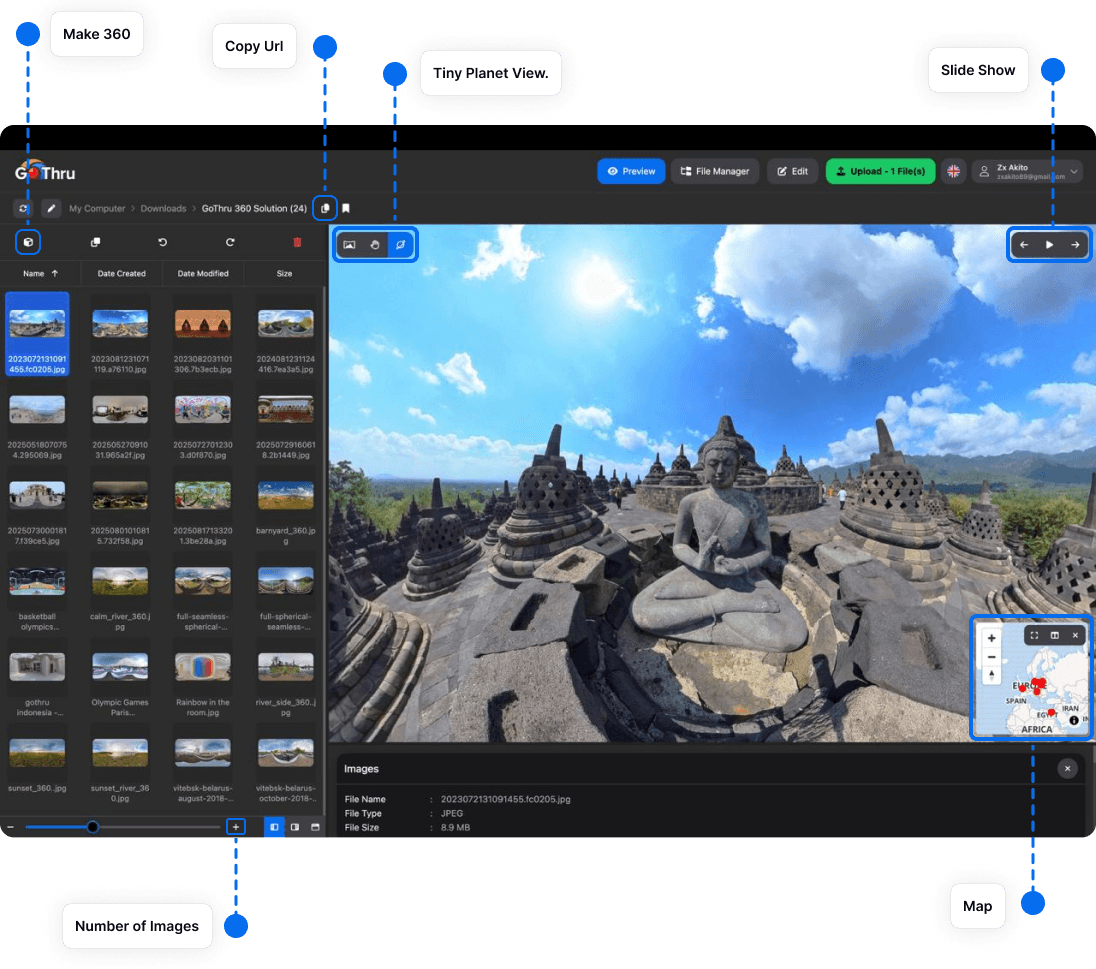
The interactive Preview lets you inspect an equirectangular image as viewers will experience it.
Open a panorama
- Select a JPG or PNG panorama in the file manager.
- Open Preview.
- Drag to look around the image and zoom in to inspect detail.
- Use the navigation controls to move through nearby files.
Quality checklist
- Horizon: walls and vertical lines should appear level.
- Seams: inspect the full 360° wrap for stitching errors.
- Nadir: look down for a tripod, shadow, or patching artifact.
- Zenith: look up for holes or soft areas.
- Exposure: check bright windows and dark shadows.
- Privacy: confirm that sensitive information is not visible.
Resolve visible issues before publishing. For a tripod area, see Add a Logo to the Nadir. For difficult lighting, see Create HDR Images with Enfuse.