
Getting Started with GoThru Photo Studio
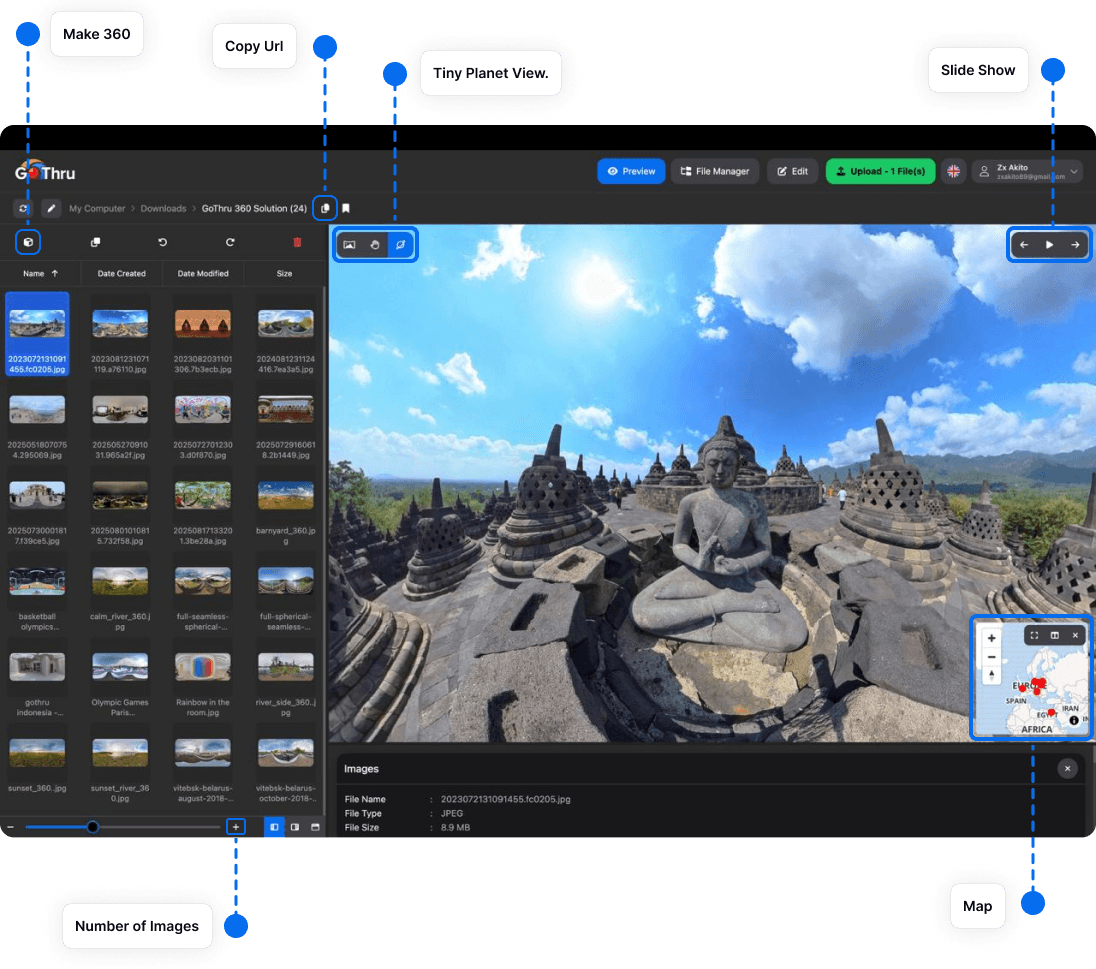
GoThru Photo Studio is an all-in-one desktop application for viewing, organizing, editing, converting, and publishing 360° images. It is available for macOS and Windows.
1. Download and install
Download the current installer from the GoThru Photo Studio download page. Open the installer and follow the prompts for your operating system.
2. Add your photos
Open a folder containing your 360° images in the file manager. Photo Studio supports standard equirectangular JPG and PNG files. Bracketed source images can also be prepared for HDR processing with Enfuse.
3. Learn the workspace
- Preview displays the selected panorama as an interactive 360° image.
- File Manager helps you browse folders and organize large image collections.
- Edit contains tools for improving and converting images.
- Upload sends finished work to supported publishing destinations.
4. Use a simple first workflow
- Select a panorama in the file manager.
- Preview it and check the horizon, seams, exposure, and nadir.
- Apply any needed edits, such as a nadir logo or HDR blending.
- Export or publish the finished image.
Interface labels can change slightly between app releases. Update Photo Studio before following a guide if an option is missing.
Next, learn how to organize your image library or review a panorama.