DJI Osmo 360 vs Insta360 X6: Full Specs and Tour Workflows
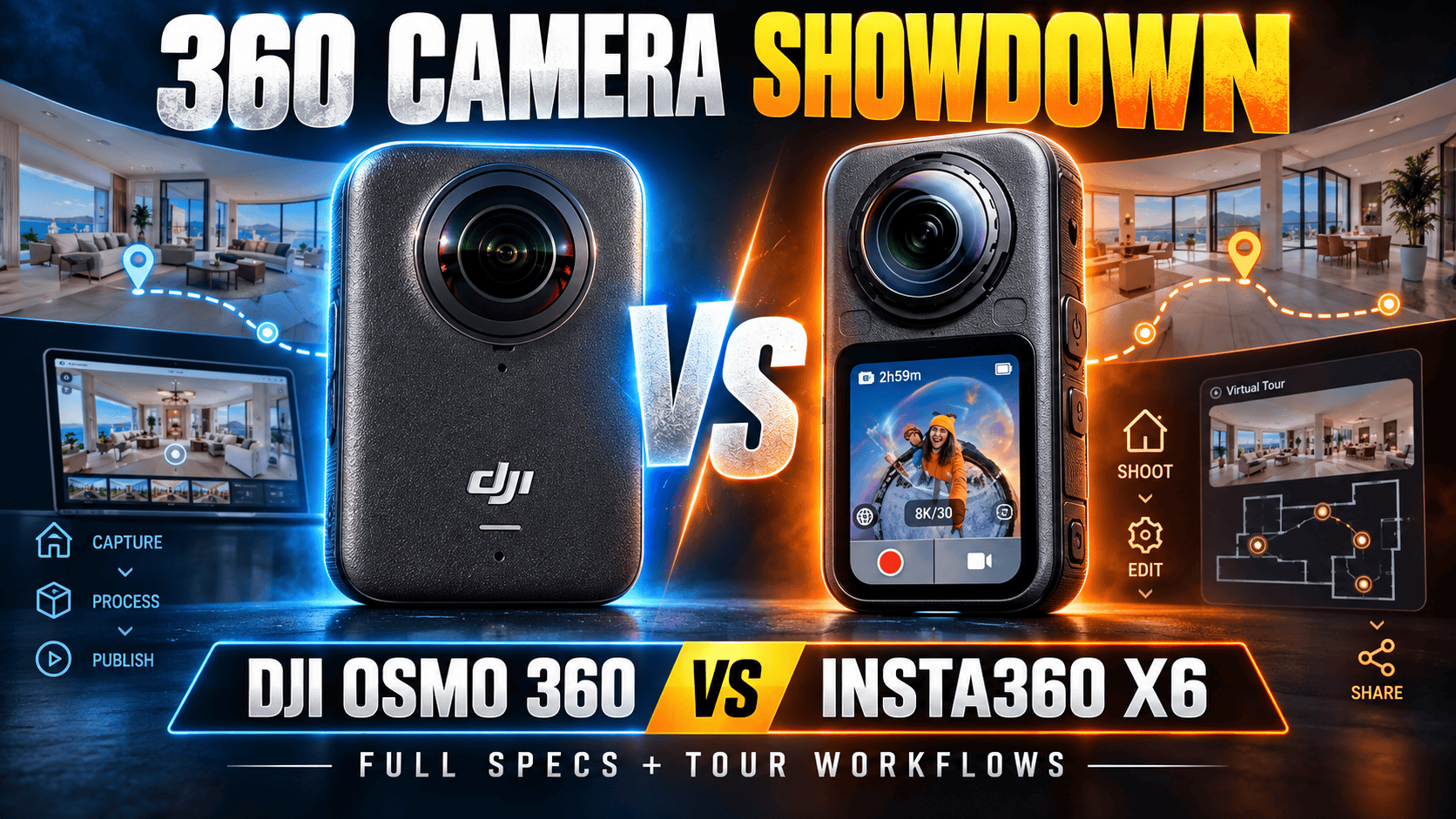
Technical head-to-head · Matching headline resolutions, different workflows
Original Osmo 360 and X6 both list 15520 × 7760 still panoramas and ordinary 8K50 spherical video. Their meaningful differences include RAW/AEB workflows, intermediate recording dimensions, internal storage, lens replacement and software—not simply which camera says 120 MP or 8K.
Choose the missing capability, not the headline resolution
Shortlist X6 when its AEB/RAW route or replaceable lenses solves a production problem. Its manual distinguishes bracket counts at 120 MP and 30 MP. Field lens replacement also changes the recovery plan after damage. Neither feature proves better delivered room photographs without testing.
Keep original Osmo 360 in consideration when its video and JPEG workflow meet the job. It already provides ordinary 8K50 and more listed usable internal storage than X6. An owner who needs neither X6's specific still workflow nor its other capture modes should not interpret equal resolution labels as an automatic upgrade.
Compare a difficult room and a moving sequence through the entire processing path. Include accessories, staff training, offload, editing and backup time. Both cameras have internal storage and removable batteries, so those features alone do not decide the purchase.
Sensor formats, exposure controls and still files
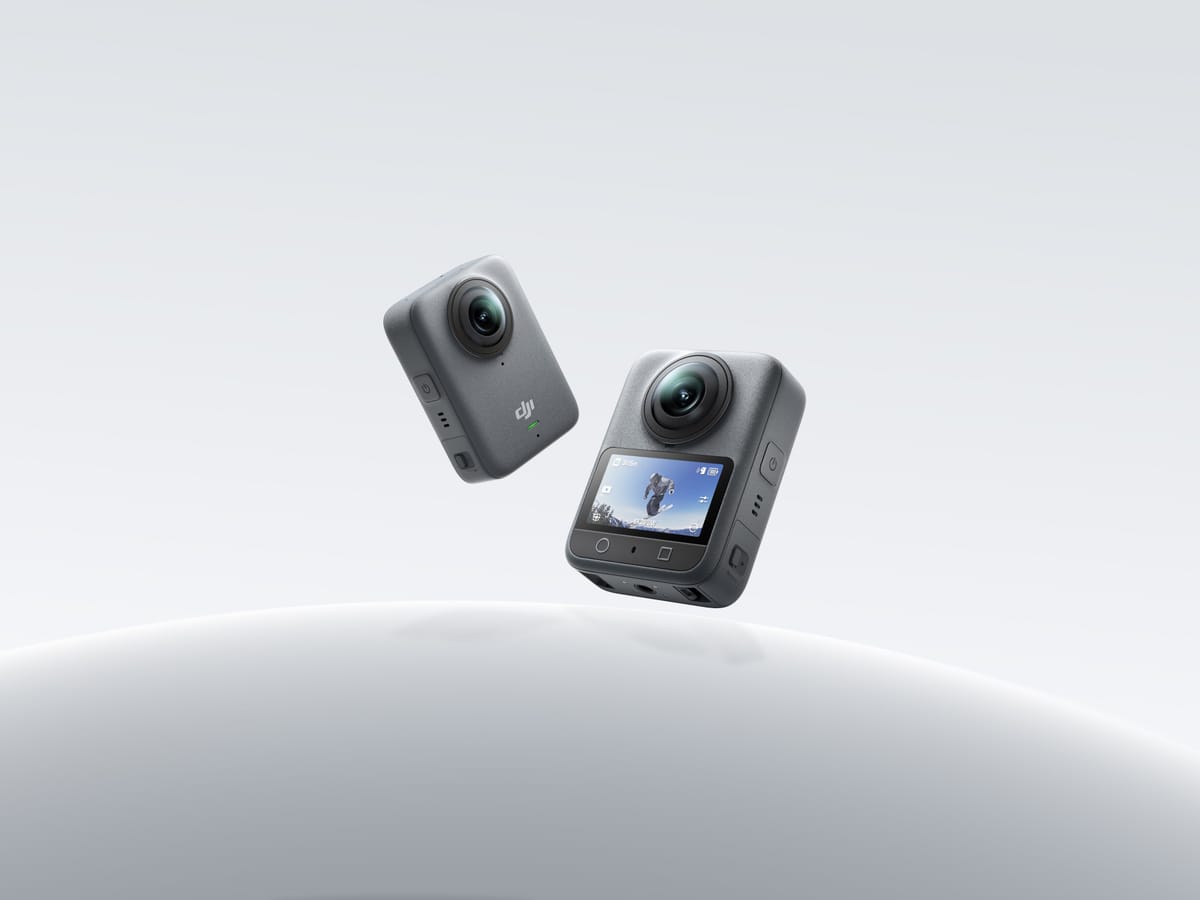
| Parameter | Osmo 360 | X6 |
|---|---|---|
| Sensor format | Dual 1/ | Dual 1/ |
| Aperture | f/1.9 | f/2.0 |
| Largest sphere | 15520 × 7760; 120 MP | 15520 × 7760; 120 MP |
| Smaller sphere | Equivalent size not established here | 7776 × 3888; 30 MP |
| Single-lens photo | 6400 × 4800 | 6528 square; 6528 × 3712 or 6528 × 2816 |
| Still formats | JPEG in cited specification | INSP, DNG, JPG; mode-dependent |
| ISO range | 100–51200 | 100–6400 |
| Manual shutter | 1/ | 1/ |
| Exposure adjustment | Numeric limit not established here | ±4 EV |
| Color temperature | Numeric limits not established here | 2000–10000 K |
| Minimum focus | 0.35 m | 0.6 m |
| Stitching clearance | At least 0.75 m | Equivalent numeric clearance not established |
Sources: original DJI specifications, DJI FAQ, Insta360 shooting table and shared hardware table, X6 column. Matching sensor-format labels do not establish identical sensors or processing. Focus distance is not stitching clearance.
Maximum panorama width
Osmo 360 — 15,520 pixels
X6 — 15,520 pixels
Do not import Osmo 360 II RAW claims into the original model
| Route | Capture | Workflow |
|---|---|---|
| Original Osmo 360 | JPEG; PRO exposure controls | Inspect the processed sphere |
| X6 PureShot | INSP or in-camera stitched JPG | Choose the actual export route |
| X6 PureShot + RAW | Adds DNG | Full RAW-resolution matrix not established here |
| X6 AEB | 120 MP: 3/5 exposures; 30 MP required for 7 | Account for motion and processing time |
X6's file-format guide distinguishes PureShot from PureShot + RAW. It lists JPG export on mobile and JPG/DNG in Studio, while excluding .hdr/.exr export. Its AEB instructions restrict seven exposures to 30 MP. Neither the 120 MP headline nor HDR terminology guarantees a scene-linear lighting file.
The original DJI specification lists JPEG. Do not copy RAW support or third-party DNG compatibility for Osmo 360 II into this comparison. A complete original-model spherical AEB matrix is not established here; unknown does not mean unsupported.
For a useful property trial, retain originals and compare finished spheres at a common viewing size. Include window highlights, dark textures, close furniture and moving curtains. More exposures can increase capture time and motion risk; measure the complete production process.
Matching 8K50, different intermediate and low-light modes
| Parameter | Osmo 360 | X6 |
|---|---|---|
| 8K: 7680 × 3840 | 24, 25, 30, 48, 50 fps | 24, 25, 30, 48, 50 fps |
| 6K | 6000 × 3000 at 24, 25, 30, 48, 50, 60 fps | 6016 × 3008 at 24, 25, 30, 48, 50, 60 fps |
| 4K: 3840 × 1920 | 100 fps | 24, 25, 30, 48, 50, 60, 100 fps |
| Low-light sphere | SuperNight: 8K/6K at 24/25/30 | PureVideo: 8K/6K/4K at 24/25/30 |
| Files / codec | OSV, MP4; HEVC | INSV, MP4; H.265 |
| Ordinary bitrate ceiling | 170 Mbps | 180 Mbps |
| Color workflow | 10-bit, D-Log M | 10-bit I-Log, Rec.709, Dolby Vision |
| Audio encoding | 48 kHz, 16-bit AAC; four microphones | 48 kHz, 16-bit AAC |
Sources: DJI specifications/product overview, Insta360 shooting table and X6 product page. X6's manual gives 5760 × 2880 for 6K PureVideo, while its product table gives 6016 × 3008. Check the installed firmware and actual file before promising a particular output dimension.
Matching 8K50 does not establish equal stitching, stabilization or low-light detail. The narrow crop used for a social clip contains only part of the sphere. Log footage requires an appropriate color-managed export; compare finished grades rather than an ungraded log clip against processed standard footage.
Flat clips, automatic framing and time sequences
Original Osmo 360 ordinary single-lens recording lists 5K/4K/2.7K in 4:3 or 16:9 at 25/30/50/60 fps. Boost extends 4K/2.7K to 100/120 and adds portrait capture. X6 lists 5K up to 60 landscape or 30 portrait, and 4K/2.7K up to 120 landscape or 60 portrait in its manual. The X6 product page instead lists up to 120 portrait, so that conflict needs a firmware/output check.
X6 FreeFrame lists 6016 square at 25/30 or 3040 × 3840 at 25/30/50/60. InstaFrame 2.0 documents 4K flat plus 8K spherical backup up to 30 fps. The manual's higher flat rates must not be described as 8K60 backup. DJI Selfie and X6 InstaFrame are not automatically identical file-delivery workflows.
DJI Vortex uses 6000 × 1500 at 100/120 or 3840 × 960 at 240. X6 Bullet Time uses 7680 × 1920 at 100, 6016 × 1504 at 120 or 3840 × 960 at 240. Those narrow frames are not complete 2:1 spheres.
DJI timelapse produces 8K25/30; X6 lists 16K or 8K25/30. X6's special bitrate ceilings are 240 Mbps for high-bitrate 8K TimeShift/timelapse and 360 Mbps for 16K timelapse, not ordinary-video ceilings. Keep capture interval separate from playback rate and preserve dated site panoramas independently of accelerated clips.
Exact DJI ordinary flat dimensions are 5120 × 3840 or 5120 × 2880 at 5K, 3840 × 2880 or 3840 × 2160 at 4K, and 2688 × 2016 or 2688 × 1512 at 2.7K. Boost adds 2160 × 3840 and 1512 × 2688 portrait sizes. Single-lens SuperNight uses landscape 4K/2.7K at 25/30 fps. DJI Selfie lists 3840 square at 25/30/50/60, 3000 square adding 100/120, and 1920 square at 100/120/240.
X6 landscape sizes are 5120 × 3840 or 5120 × 2880 at 5K, 3840 × 2880 or 3840 × 2160 at 4K, and 2688 × 2016 or 2688 × 1520 at 2.7K. Its nominal 9:16 4K entry repeats 2880 × 3840, which is not 9:16; confirm actual portrait output. Flat PureVideo lists 4K/2.7K at 25/30/50/60, separately from ordinary-video limits.
DJI timelapse intervals are 1/2/3/4/5/6/8/10/15/20/25/30/40 seconds or 1/2/5/30/60 minutes. Duration choices are 5/10/20/30 minutes, 1/2/3/5 hours or unlimited; Hyperlapse offers Auto or 2/5/10/15/30×. Pre-REC offers 5/10/15/30 seconds or 1/2/5 minutes. Its single-lens livestream is 1920 × 1080 at 30 fps, not an additional recording format.
DJI documents RockSteady 3.0 and HorizonSteady, with panoramic stabilization selected during Mimo export. Single-lens HorizonSteady is restricted to corrected standard-view 16:9 video up to 60 fps. X6 documents FlowState and 360° Horizon Lock. These names are not a matched walking-stabilization result.
Internal storage, removable power and lens replacement
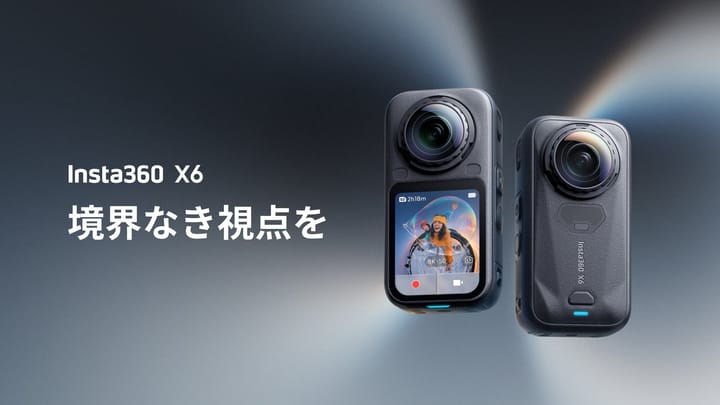
| Parameter | Osmo 360 | X6 |
|---|---|---|
| Weight | 183 g | 196 g |
| Dimensions | 61 × 36.3 × 81 mm; L×W×H | 50 × 100 × 40 mm; W×H×D, lenses included |
| Touchscreen | 2-inch OLED; 314 × 556 | 2.32-inch OLED; 480 × 600 |
| Battery | 1950 mAh removable | 2600 mAh Xtreme; optional 1300 mAh Lite |
| Internal storage | 128 GB nominal; 105 GB usable | 64 GB nominal; 47 GB usable |
| Card expansion | microSD up to 1 TB; exFAT | microSD up to 1 TB |
| USB | Type-C 3.1 | Type-C 3.1 |
| Wireless | Wi-Fi 6; BLE 5.1 | Wi-Fi 6; BLE 5.3 |
| Operating range | −20–45°C | −20–40°C |
| Body water depth | 10 m | 20 m |
| Lenses | Not user-changeable per FAQ | User-replaceable |
DJI quotes 100 minutes at 8K30 or 120 with Endurance, and 190 at 6K24 Endurance. Its method uses 25°C with screen, Wi-Fi and controls off, with EU/UK caveats. X6 quotes 140 minutes at 8K30 at 25°C with screen off, Wi-Fi on and Standard bitrate/color. Different conditions prevent treating these as a measured percentage advantage.
Both internal and card files can be lost with one camera; neither storage arrangement replaces an independent backup. X6 lens replacement is a repair option, not protection from every scratch. Water-depth ratings do not guarantee clean underwater stitching or suitability for every construction hazard.
DJI supports PD 3.0 charging from a 30 W-or-higher source and both the 1950 mAh Extreme Battery Plus and 1770 mAh Extreme Battery. A full-charge time is not established here. X6 quotes 24 minutes to 80% and 35 to full with a 30 W PD 3.0 PPS adapter at 25°C, camera off. These are manufacturer conditions, not a matched charge test.
X6's technical manual and product page list USB 3.1, while its Japanese launch release says USB 3.0. The table follows the technical specification; neither label measures your complete offload performance. Both cameras have a 1/4-inch mounting point and quick-release options. DJI recommends aligning the camera and invisible stick rather than using an offset or tilted mount that interferes with stick removal.
Validate the complete processing path
Test representative DJI originals through Mimo/Studio and X6 originals through the intended Insta360 app/Studio installation. Ordinary JPEG, PureShot and RAW-derived outputs deserve separate tests. A successful connection does not establish acceptable transfer or editing performance.
DJI's downloads page lists Mimo 2.12.0 for iOS 15 or Android 9 and newer. Studio 1.2.11 supports macOS 11 on M1 or newer, or Windows 10 and newer, with at least 16 GB RAM recommended. Its Resolve plug-in requires preprocessing in Studio using the dedicated export format, Resolve 20.0.1 or newer, and the specified compatible operating system. These are workflow requirements, not guarantees of smooth long-form 8K edits.
X6's product page lists iOS 16 on supported A14-class or newer devices and Android 10/HarmonyOS 2 on supported 64-bit devices. Examples include Snapdragon 8 Gen 2 and Kirin 9000. The same page both includes and excludes Exynos 2200; that unresolved claim is not a hardware recommendation here. Its 16K timelapse requires Studio.
Retain originals, processing masters and hosted exports separately. Inspect orientation, seams, color and loading at the destination viewing size. No camera-specific GoThru or Panorra certification is inferred from a file-format specification.
Real estate, construction and travel decisions
Real estate: X6's documented AEB/RAW choices are useful when they solve a demonstrated exposure problem. Compare completed rooms with original DJI's actual JPEG workflow; identical 120 MP headlines cannot settle that test.
Construction: DJI offers more listed usable internal storage; X6 offers replaceable lenses and different power/protection specifications. Maintain fixed viewpoint IDs and consistent processing; see the construction-site virtual-tour workflow. Neither camera is presented as survey-grade equipment.
Travel: both support ordinary 8K50, so consider specific low-light, flat-video and automatic-framing outputs instead. Preserve destination spheres for owner-operated Panorra separately from social crops. Compare current complete-kit prices rather than assuming a permanent price winner.
Read the original Osmo 360 and X6 guides, compare Osmo 360 II vs X6 or original Osmo 360 vs II, and browse the comparison directory.



Comments ()