Best Virtual Tour Software for Real Estate: How to Choose in 2026
Compare five virtual-tour software routes by output, capture method, listing delivery and ongoing cost before choosing a tool for a property.

The best virtual tour software for a real estate listing depends on what you need to deliver. An agent with finished 360 panoramas needs a way to connect and share them. A team that needs a spatial model and measurements has a different capture job. If the tour must appear in a particular portal, that destination may narrow the choice before the feature list does.
This comparison covers five options with distinct workflows: GoThru, Matterport, CloudPano, Zillow 3D Home and Panoee. GoThru publishes this article and is included in the shortlist. The product and plan descriptions come from vendor pages checked on October 19, 2026, not a common-property hands-on test. For the full capture-to-delivery process, see our real estate virtual tour software and workflow guide.
Choose the tour output before the software
A connected 360 tour lets someone turn within each panorama and move between linked viewpoints. A spatial 3D model represents a property in a different way and may support measurements when the product and capture method permit them. A video walkthrough follows the route the producer chose. These outputs can complement one another, but a panorama does not become a measured 3D model merely because a tour is navigable. Matterport's guide to 3D and 360 tours explains the model-versus-panorama distinction.
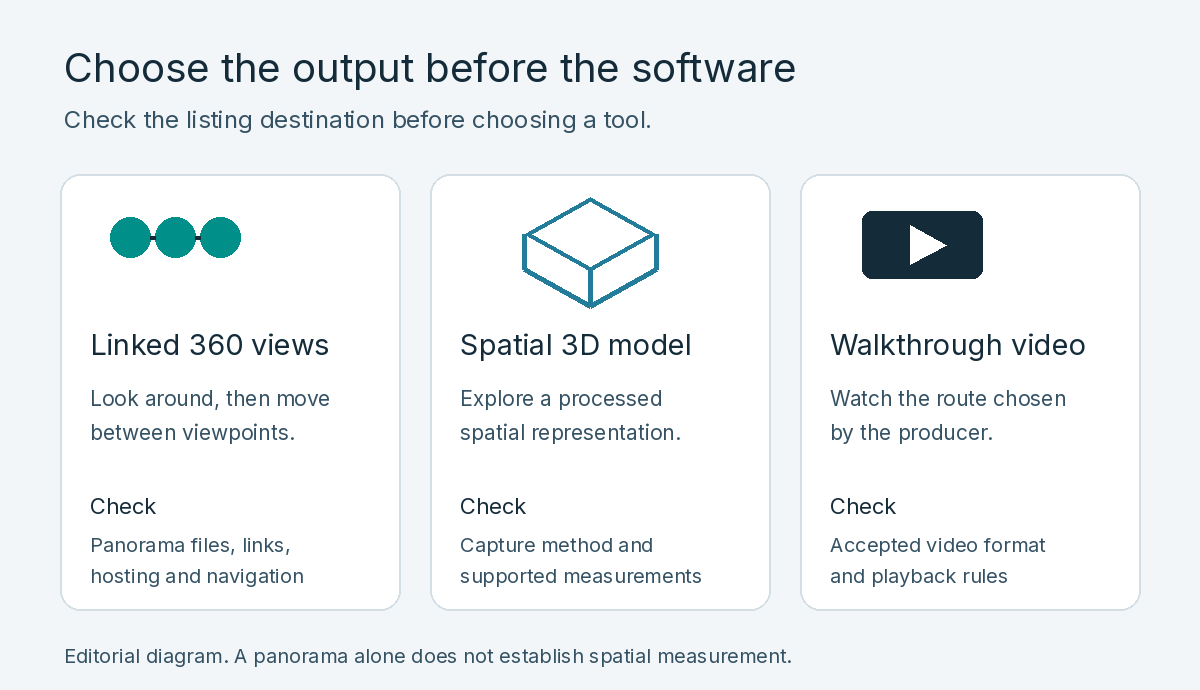
Linked panoramas, spatial models and video walkthroughs offer different ways to view a property.
Ask what the buyer needs to do. If the task is to look around a room and choose the next room, compare linked panorama builders. If a listing requires a model with spatial features, confirm the actual model and measurement workflow. For a narrated or tightly controlled viewing sequence, consider video separately. Your floor plan may be an additional asset rather than a feature included in every tour.
Apply the same checks to five options
GoThru, CloudPano and Panoee offer ways to connect and host panoramas. Matterport focuses on a spatial model, while Zillow 3D Home creates tours in Zillow's app. The five routes differ in capture requirements, viewing format and delivery options.
Use the same questions for every candidate. What source files or capture device does it accept? What can the buyer actually view? Can you deliver a hosted link, embed or export where the property appears? What does the plan allow while the listing is active, and what happens later? The answers change with the plan and destination. Vendor labels such as "3D" or "free" do not answer those questions on their own.
Five real estate virtual tour software routes
| Software | Documented fit and decision check |
|---|---|
| GoThru | Connected hosted 360 tours from panoramas. Check enhanced-tour entitlement, hosting and delivery needs. |
| Matterport | Spatial 3D experience with supported capture. Check active-space limits, measurements and separately charged outputs. |
| CloudPano | Connect and host 360 scenes. Check published-project limits and the Pro checkout price. |
| Zillow 3D Home | Create within Zillow's app for a Zillow listing. Check capture fit and any separate external-link goal. |
| Panoee | Hosted 360-tour projects with hotspots. Check storage, branding and premium-feature limits. |
GoThru for connected panorama tours
GoThru's Virtual Tour Creator describes a navigation layer for panoramic images, with menu and carousel options. The Tour Editor guide documents panorama connections, hotspots, floor-map options, activation and a hosted link or embed. It fits an agent or tour producer who has suitable 360 images and wants viewers to move through connected scenes. It is software for creating and hosting the tour, not a property-shooting service or a measured 3D-model claim.
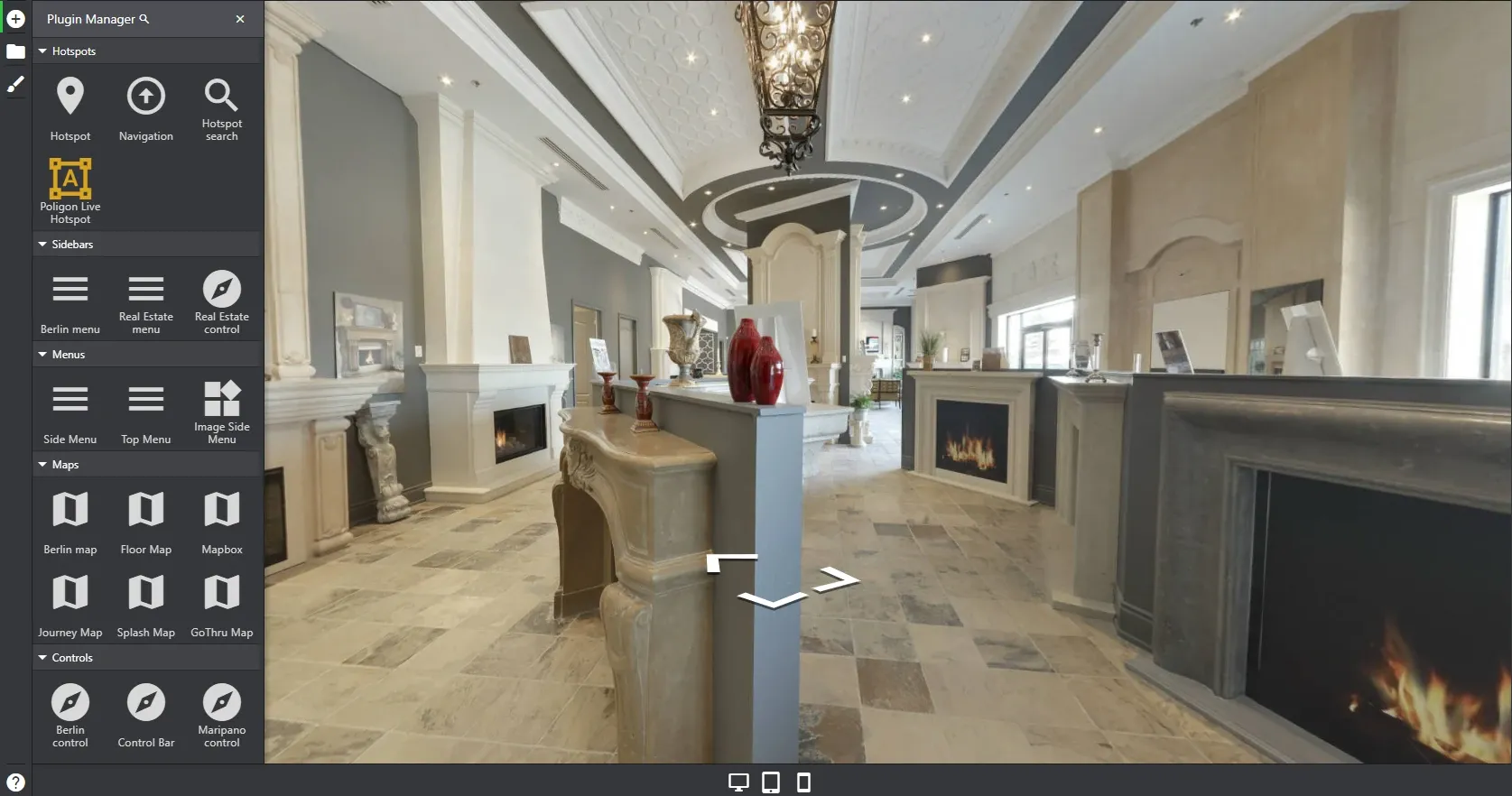
The Tour Editor offers hotspot, sidebar, menu and map options alongside the panorama.
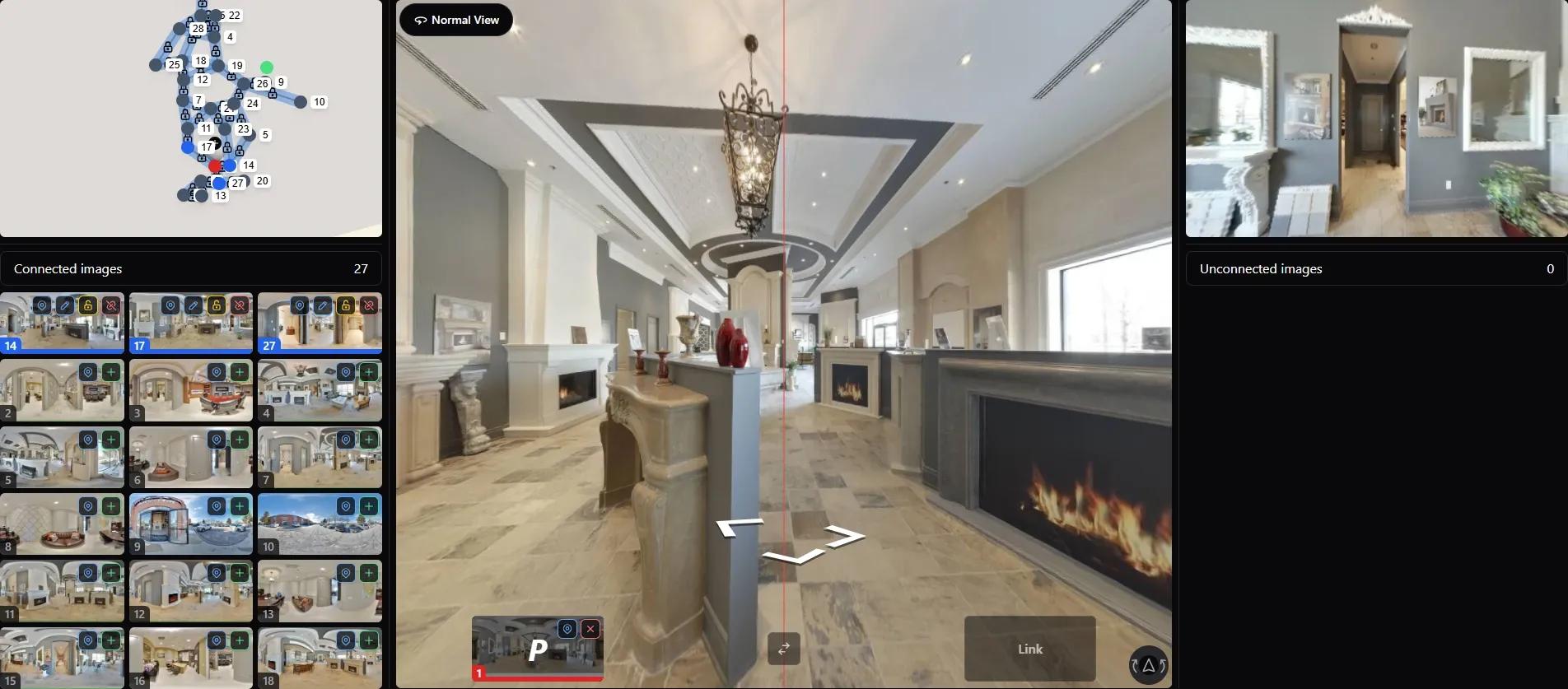
GoThru connection editor showing the numbered panorama map and two views used to align a scene link.
Check the current GoThru plans against the exact output. The page separates Pay As You Go, Basic, Pro and Agency, and lists different enhanced-tour entitlements. Its limited free-publishing wording sits with Street View conditions; it should not be read as a promise that every hosted real estate tour is free. The older Tour Editor guide uses a yearly activation figure. Confirm the current plan and checkout terms before calculating a property's cost.
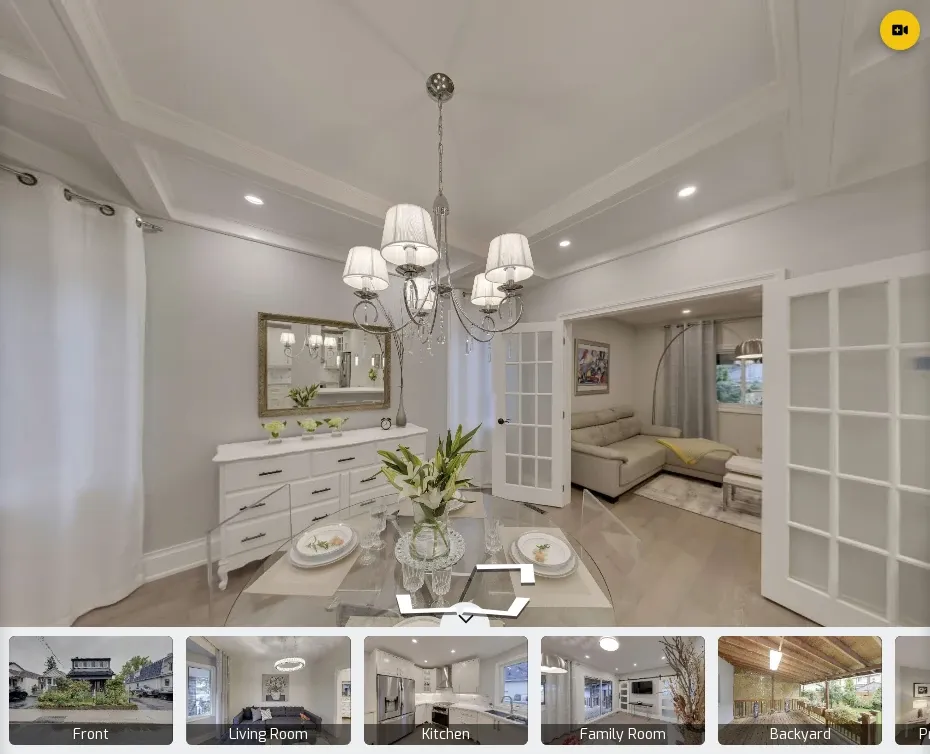
Dining-room panorama with room thumbnails in a GoThru-hosted property tour.
Matterport for a spatial-model workflow
Matterport's Professional plan describes digital twins, room and object measurement, tags, guided tours and sharing. Its listed supported capture methods include Matterport cameras, supported 360 cameras and phones. This is a candidate when the model itself, rather than only a linked panorama route, is central to the listing or another property workflow. Do not assume every capture device gives identical model or measurement results.
The plan page showed a 10-active-space Professional example at $90 per month on an annual plan billed $1,080 per year when checked on October 19, 2026. It lists additional charges for some exports. Matterport's Free plan describes one active space. For an agent with several simultaneous listings, count active spaces and required extras before comparing the headline price with a panorama host.
CloudPano for hosted 360 scenes
CloudPano describes a workflow for uploading, connecting and publishing 360 scenes, with tour sharing and live in-tour video chat among its product offerings. An agent who already has panoramas can assess it as another hosted-tour route. Confirm which sharing, branding and live features belong to the plan being considered.
Its main site lists a Pro plan with a published-project limit and a Pro Plus tier with broader allowances. But CloudPano's help article, dated March 10, 2026, gives a different Pro monthly figure from sections of the main site. Confirm the billed amount, term and active-project allowance in your account before using price as a deciding factor.
Zillow 3D Home for its own listing route
Zillow's 3D Home FAQ describes a free app for creating tours with a supported phone or 360 camera and placing them on Zillow listings. Zillow says there is no per-home, service or hosting fee for a 3D Home tour; buying a camera or hiring a photographer is separate. Its interactive floor-plan path needs a compatible 360 camera. Capture inside the Zillow app is a different job from uploading a finished third-party panorama tour.
Zillow also offers an unbranded link for use in an MLS, according to the FAQ. Check the MLS's own rules. If your main aim is Zillow's native tour presentation, test Zillow 3D Home first. If you need a tour hosted and managed independently for other destinations, compare that requirement separately rather than assuming native Zillow creation and external-link placement are equivalent.
Panoee for hosted projects with a free storage allowance
Panoee's pricing page lists a Free plan with unlimited projects, 3 GB of storage, a Panoee subdomain and hotspot types. Its Pro plan lists premium projects, branding, password-protected tours, custom floor plans or maps, and analytics. This can be worth comparing when storage and presentation controls matter more than a portal-specific creation route.
"Unlimited projects" is not the same as unlimited storage or premium features. The page displayed Pro at $22 per month and Pro+ at $200 per year on October 19, 2026; confirm the billing selection, storage and any additional usage charges in the checkout. Check whether your MLS accepts the finished link.
Price the whole listing, not the plan label
Start with a specific scenario. How many tours need to stay active at once, how many 360 files will you store, and how long must each link remain available? Then list any camera or capture expense, setup labor, floor-plan or export charge, branding requirement, extra team access and recurring hosting. A cheap entry tier may be enough for one property but not a brokerage library. A more expensive tier may include something you don't need.
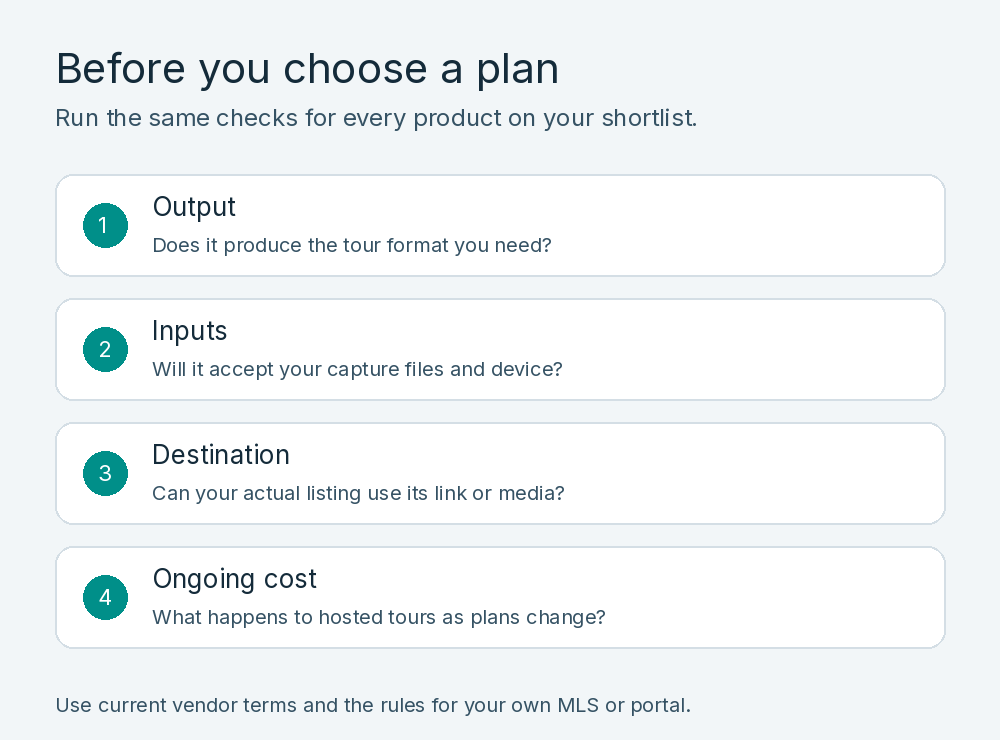
Check output, input files, listing destination and ongoing cost for each plan.
These public-price examples and plan terms were checked on October 21, 2026. They cover different outputs and billing units, so the displayed amounts are not like-for-like totals. Confirm currency, region and checkout terms before buying.
| Software | Billing basis and cost checks |
|---|---|
| GoThru | Pro is shown at $34/month on the monthly view. Pay As You Go and Basic have different enhanced-tour terms. Check storage and any per-tour activation or download charge for your intended output. |
| Matterport | Professional is shown at $90/month for 10 active spaces, billed $1,080 annually. Check capture equipment and separately charged exports. |
| CloudPano | Pro and Pro Plus subscriptions. The main site and help article give conflicting Pro figures. Confirm the checkout price, billing term and number of published projects. |
| Zillow 3D Home | No per-home, service or hosting fee for its own tour. Budget separately for a compatible camera or hired capture if needed. This is a Zillow-created tour, not an independent hosting plan. |
| Panoee | Free plan with 3 GB storage; Pro shown at $22/month. Check premium-project needs, storage add-ons and monthly versus annual billing. |
These are pricing structures, not comparable totals. For a dated estimate, use the same number of active listings, storage need and hosting period, then include capture, exports and any per-tour charges. Compare the output and listing destination as well as the bill.
Check where the finished tour will appear
A shareable URL, an embeddable viewer and prominent placement on a listing portal are three separate outcomes. Start with the destination you control, then ask each MLS or portal what it accepts in its virtual-tour field, whether branding is allowed, and how long its processing takes. Preview the resulting listing after submission. A hosted tour that looks good on an agent's website might appear only as a link elsewhere.
Zillow's third-party tour guidance says a URL entered in an MLS Virtual Tour field appears in Facts & Features. Tours from approved providers may also appear in listing photos. If the listing already has a Zillow 3D Home tour, Zillow says the external tour appears only as a Facts & Features hyperlink. Its current displayed approved-provider list includes CloudPano; it does not list GoThru or Panoee. That list is a statement about Zillow's displayed placement program, not a verdict on whether a tour can be linked in a specific MLS. Confirm your listing's actual behavior rather than promising enhanced placement.
Before sharing any tour, open the published link without an editor login on a phone and desktop. Check the opening scene, room navigation, return route and loading. Review faces, documents, family photographs, reflective surfaces and any information that should remain private. If the tour is embedded on your property page, check that it doesn't obscure the listing details on a narrow screen. For the assembly steps, use our real estate tour creation guide.
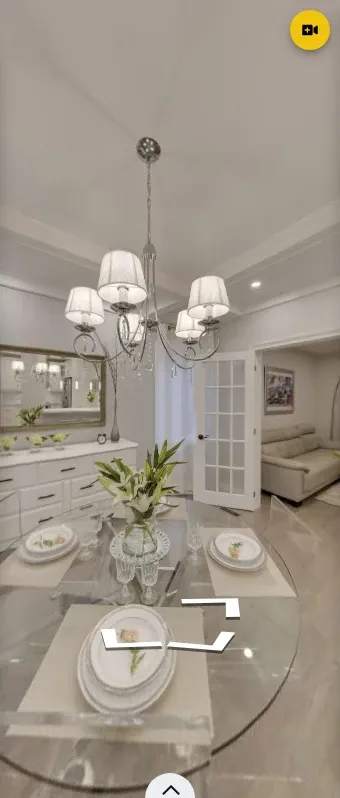
Mobile view of the same GoThru-hosted dining-room panorama.
Run a short, repeatable trial
If the shortlist is still close, use the same rights-cleared sample property and document the comparison yourself. Record the camera or source-file format, account plan, device and browser. Build the equivalent route in each product where its supported workflow permits it, add one information point if relevant, and publish a private or test link. Ask a colleague who hasn't seen the project to find the kitchen and return to the entrance. Note where they hesitate.
Test the same delivery tasks as well. Can you open the link without logging in? Does the mobile viewer show the expected controls? Can you give a colleague the appropriate edit or review access? Can you retrieve or keep the tour when the plan changes? Some products offer different output types, so record "not applicable" rather than awarding a false zero. Do not publish a time-saved or quality score without the actual method and results.
Which option fits your workflow?
Choose GoThru for further evaluation if you have 360 panoramas and need a connected, hosted tour you can present across approved destinations. Evaluate Matterport if a spatial model and its supported measurement workflow are required. Consider CloudPano or Panoee when comparing hosted 360-tour tools and their respective project, storage and branding terms. Try Zillow 3D Home if the native Zillow creation route is the primary need. The right choice depends on the actual tour, plan and destination, not a universal ranking.
For a connected panorama workflow, explore GoThru Virtual Tour Creator. Check its sample tours, current plan and creation route against the property you need to deliver.