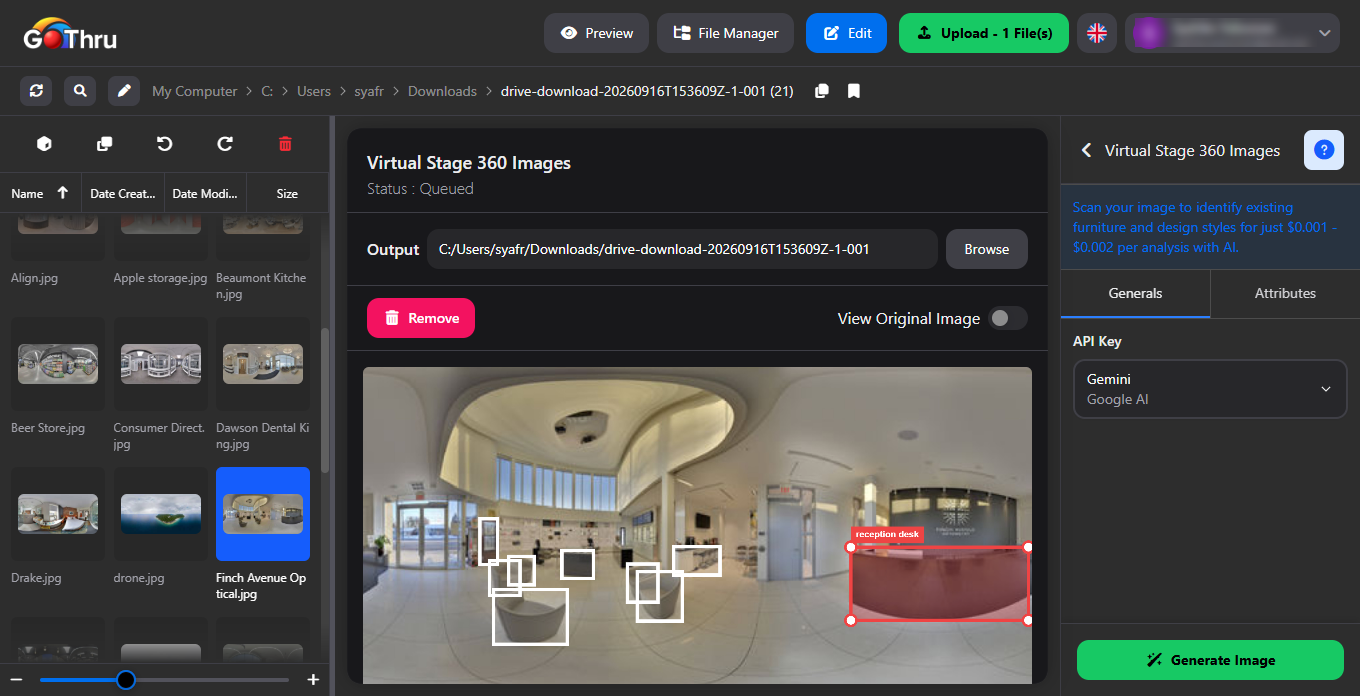
How to Use Virtual Stage 360 to Add Virtual Furniture
What is Virtual Stage 360 Images?
It is an AI-powered tool that automatically adds realistic virtual furniture and decor to your empty 360° equirectangular images based on your specific design preferences.
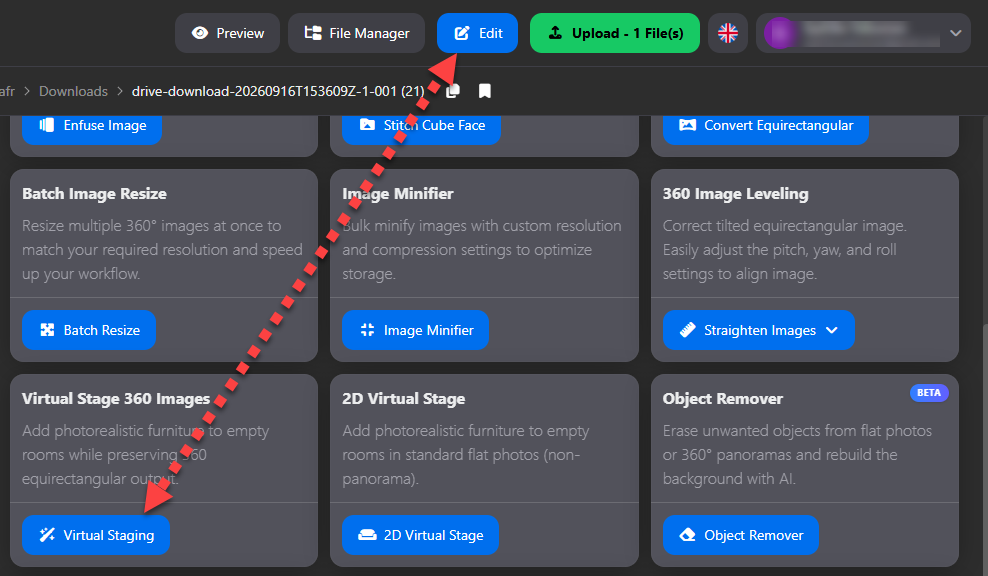
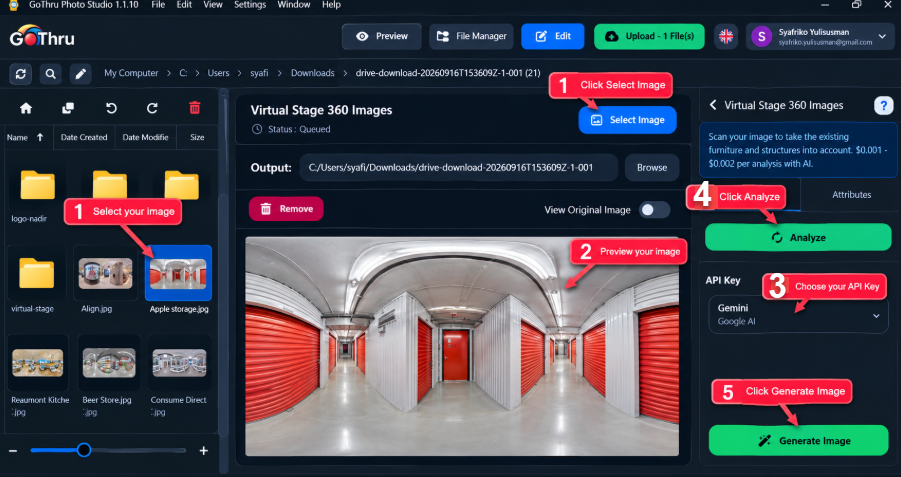
How do I use Virtual Stage 360 Image?
- Select an image.
- Preview the image.
- Add and Select AI API Key.
- Click “Analyze Image” to continue Virtual Stage 360 Image process (optional).
- Adjust your general and attribute settings.
- Edit or add new furniture at attributes settings, then set position and size new furniture.
- Click “Generate” to start the AI process.
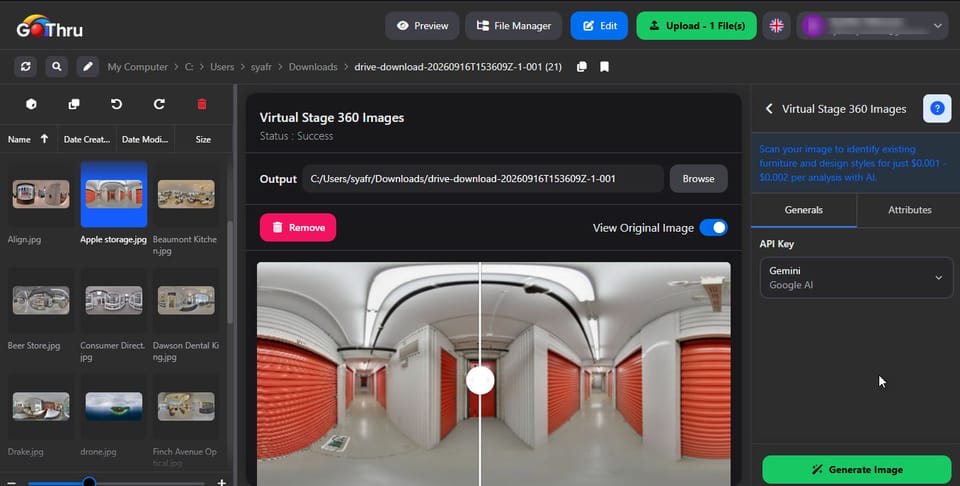
What is the final result?
The tool will generate a fully finished, high-resolution equirectangular image that blends seamlessly with the original perspective of your empty room.