
Convert Between Equirectangular and Cubemap Images
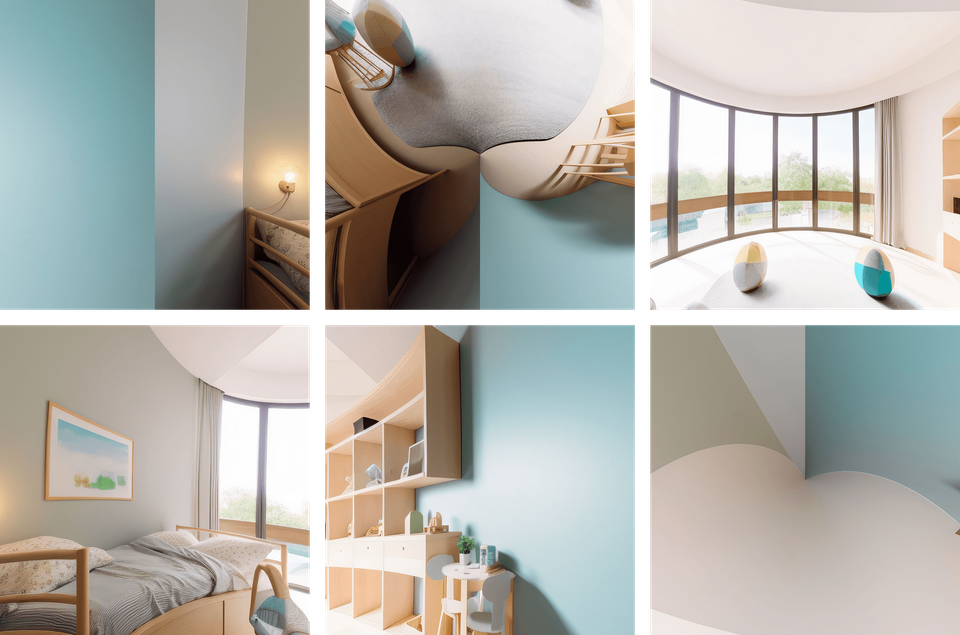
Photo Studio can convert an equirectangular panorama into six cubemap faces and stitch edited faces back into an equirectangular image.
When cubemaps are useful
Cube faces are easier to edit in traditional image editors because each file is a flat perspective view. They are especially useful for careful retouching near the nadir or zenith.
Convert to cube faces
- Select the source equirectangular panorama.
- Open the equirectangular-to-cube converter.
- Choose an output folder and run the conversion.
- Keep all six generated faces together.
Stitch the edited faces
- Edit the faces without changing their pixel dimensions or orientation.
- Open the cube-to-equirectangular stitcher.
- Select the complete six-face set.
- Export a new equirectangular image and inspect every seam in Preview.
Do not crop, rotate, rename inconsistently, or resize individual faces. Those changes can prevent a clean stitch.