
Remove Tripods with AI Nadir Patching
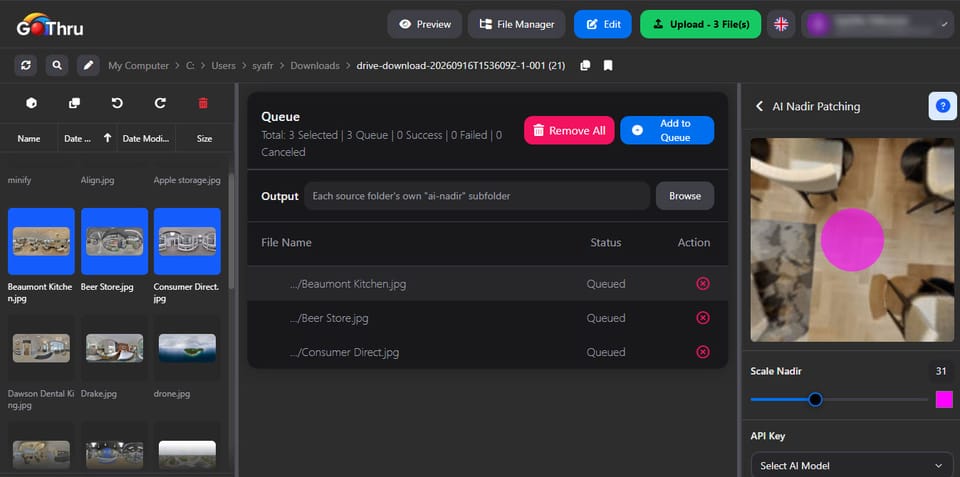
What is AI Nadir Patching?
It's a feature that uses AI to automatically remove the tripod or other objects from the bottom (nadir) of your 360° image, creating a seamless result.
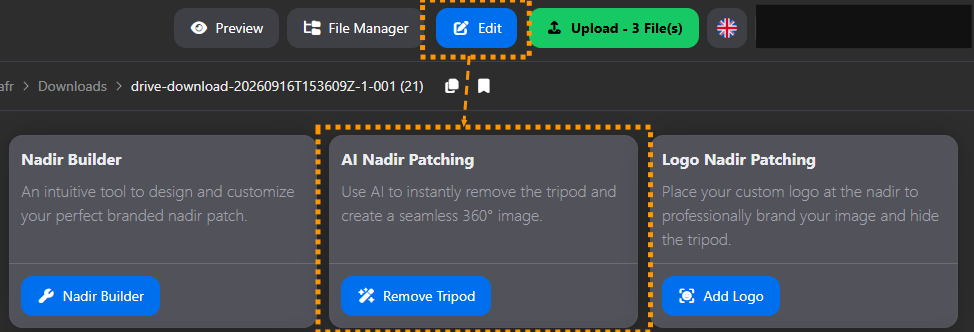
How do I use AI Nadir Patching?
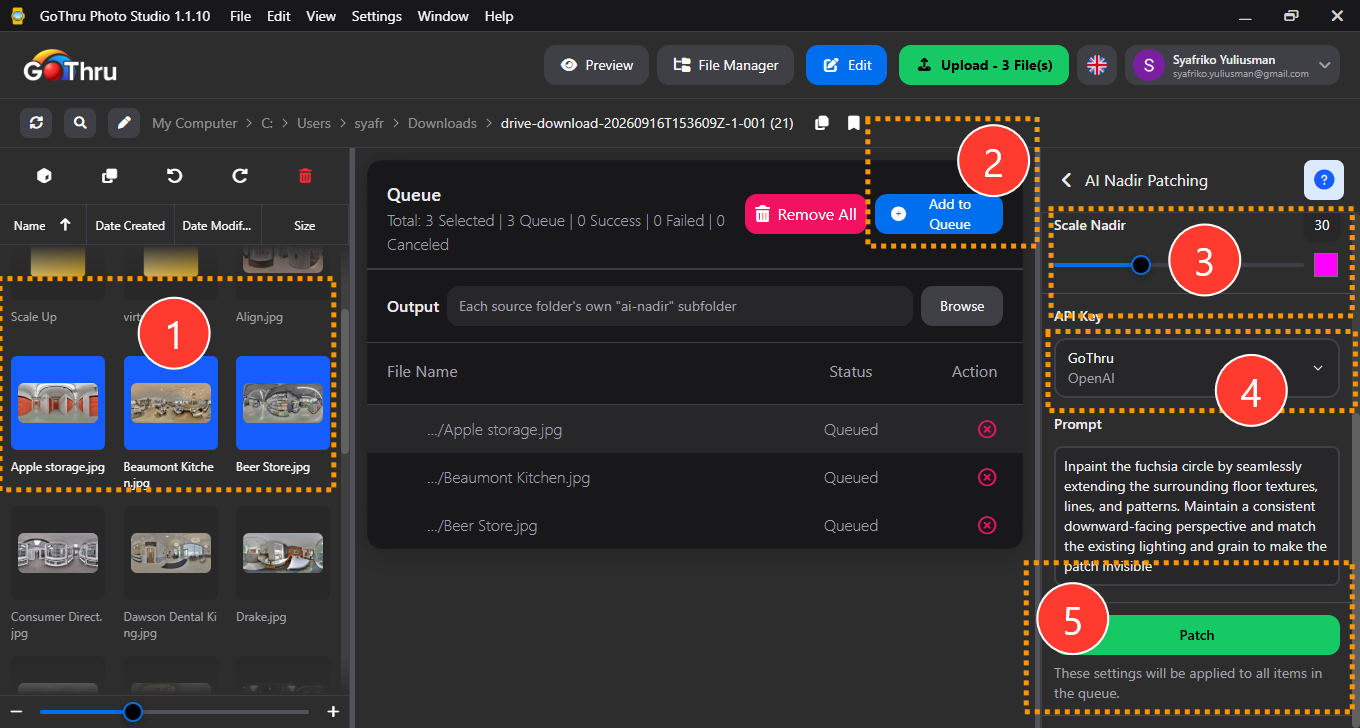
- Select the 360° image you want to patch. To select multiple images, hold
Ctrl(Windows) orShiftwhile clicking the images. - Add to queue.
- Adjust the selection scale for precision.
- Choose your Google API key and, optionally, add a custom prompt to guide the AI.
- Click the "Patch" button.
Note: This feature uses AI to fill the nadir area. Results may not always be accurate and can produce visual errors. Review the output before publishing, as it cannot be reversed. To undo it, re-upload the original images using the same file names.
What is the final result?
A new, clean version of your file is created in the same location, named {filename}-ai-nadir.
Where are the results saved?
By default, the output is saved in a new folder named ai-nadir-patching_{timestamp} located in the same directory as your source files. You may also manually define a custom output location before starting the process.