
How to Create a 360° Video on GoThru
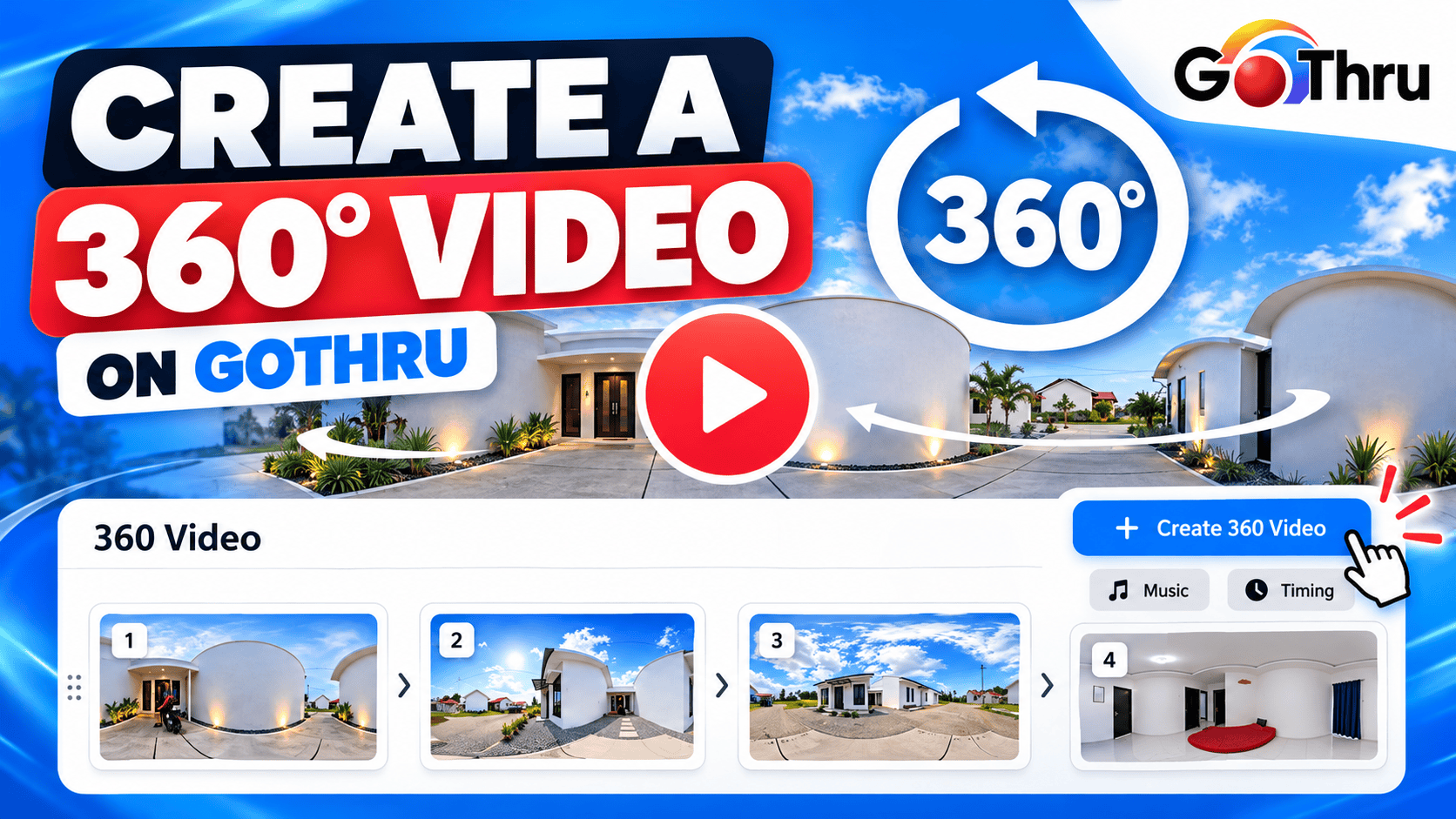
The 360 Video tool allows you to create a slideshow-style 360° video from the panoramas in your GoThru tour. You can select multiple panoramas, arrange them in your preferred order, choose background music, and set the duration for each slide. GoThru
How do I create a 360° video?
Step 1: Open Tour Details
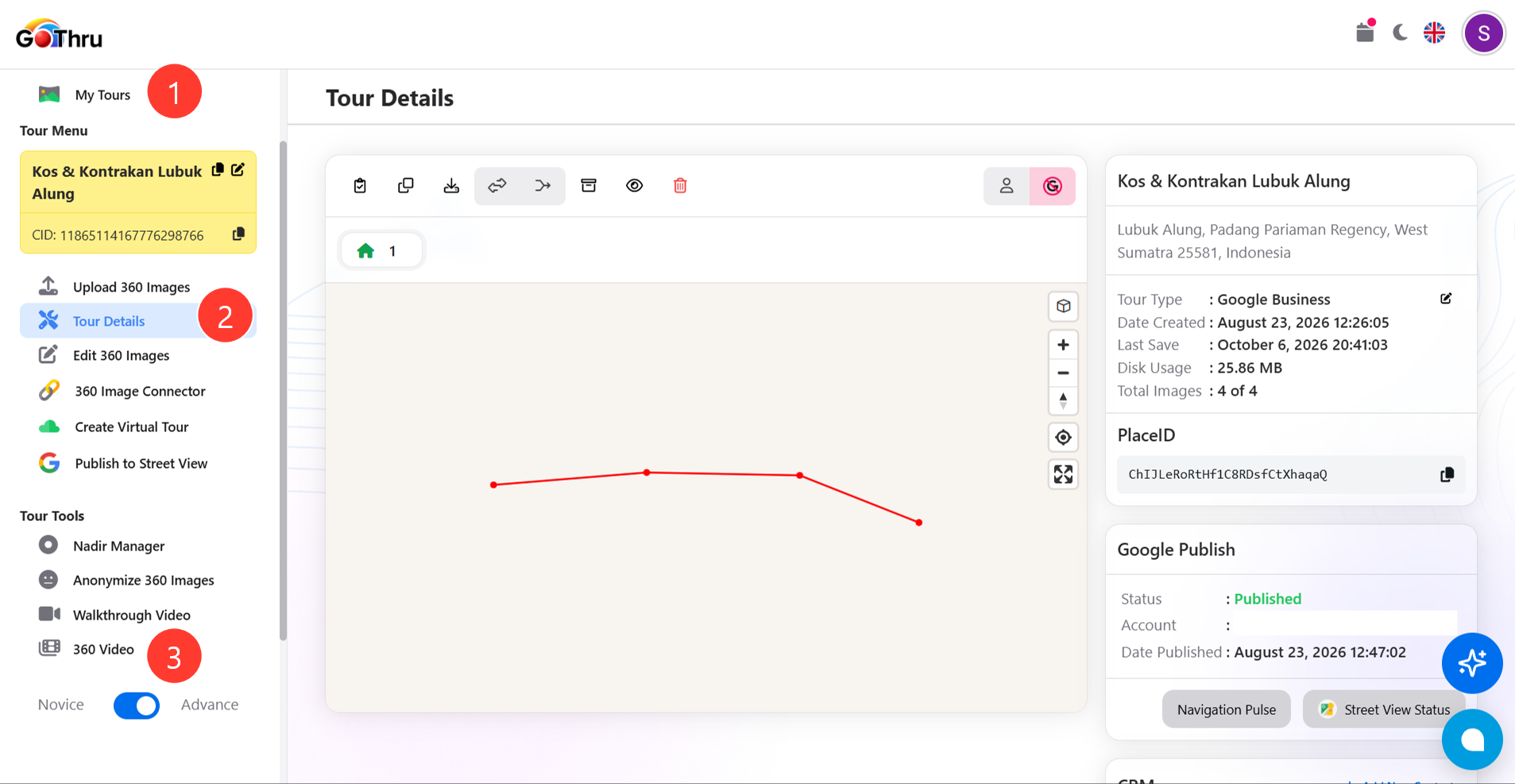
- Open GoThru and select the tour you want to use.
- Click Tour Details from the Tour Menu.
Step 2: Open 360 Video
- In the Tour Menu, click 360 Video under Tour Tools.
- The 360 Video creation screen will open.
Step 3: Select your panoramas
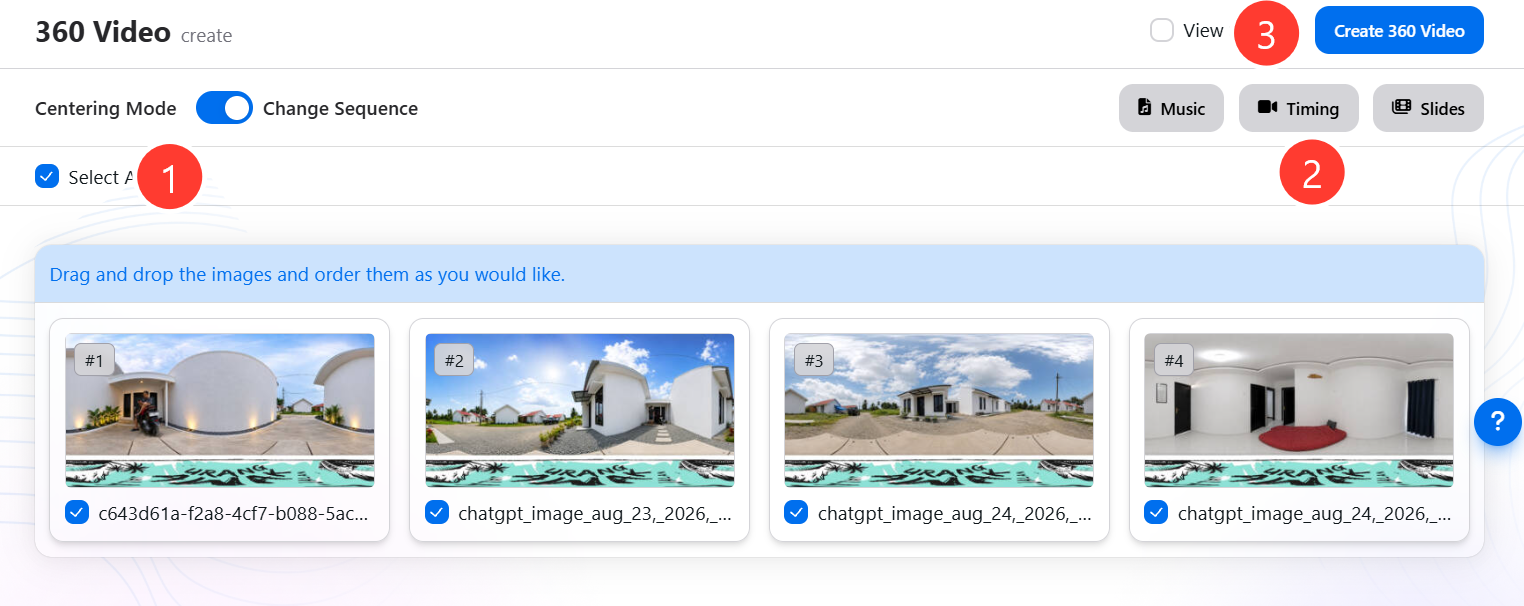
- Select the panoramas you want to include in the video.
- Use drag and drop to arrange the panoramas in the order you want them to appear.
Tip: You can change the sequence of the selected panoramas before creating the video.
Step 4: Choose the music
- Click Music to select the background music for your video.
- GoThru provides royalty-free music, or you can upload your own music. GoThru
Step 5: Set the slide timing
- Click Timing to set how long each panorama is displayed.
- Choose the duration that works best for your video.
The original GoThru documentation recommends around 3 seconds per slide for up to 9 panoramas and 8 seconds per slide for a 30-panorama video. GoThru
Step 6: Create the 360° video
- Review the selected panoramas and their order.
- Click Create 360 Video.
Your video will be sent to the GoThru servers for processing and placed in a queue. GoThru
How do I download the 360° video?
Once processing is complete, you can download the video from:
GoThru → Tour Details → 360 Video
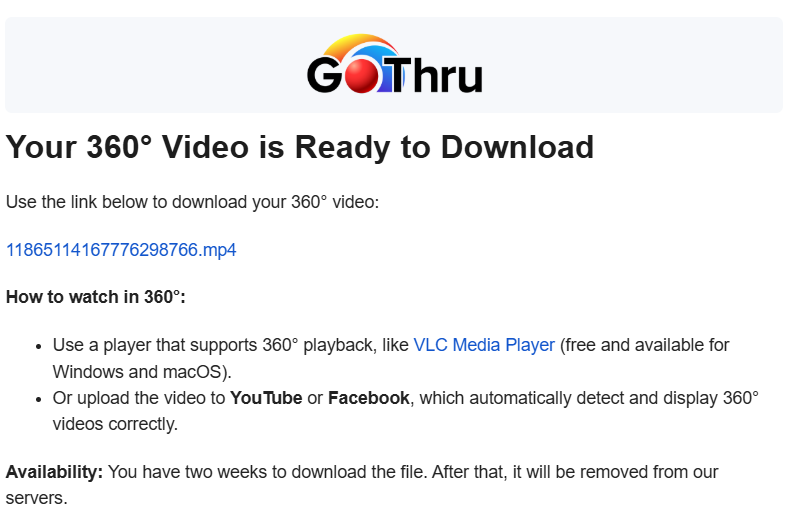
GoThru also sends an email with a download link to the completed MP4 file. According to the GoThru documentation, the email download link is valid for two weeks. GoThru
Final result
You will receive an MP4 360° video that rotates through each selected panorama as a slideshow. The completed video can be uploaded to platforms that support 360° video, such as Facebook or YouTube.
Suggested article title:
How to Create a walkthrough Video on GoThru