How To Use Virtual Tour Templates in GoThru
Virtual Tour Templates let you quickly create an interactive virtual tour using a pre-designed layout. Instead of building the tour layout from scratch, you can choose a ready-made template and then customize it to fit your tour.
Before You Begin
Make sure you have already created a tour and uploaded the 360 images you want to use. The tour must not have an active Virtual Tour project.
If the tour already has an active Virtual Tour project, delete the existing project first. This will reset the tour and allow you to apply a new Virtual Tour Template as you would with a brand-new tour.
Apply a Virtual Tour Template
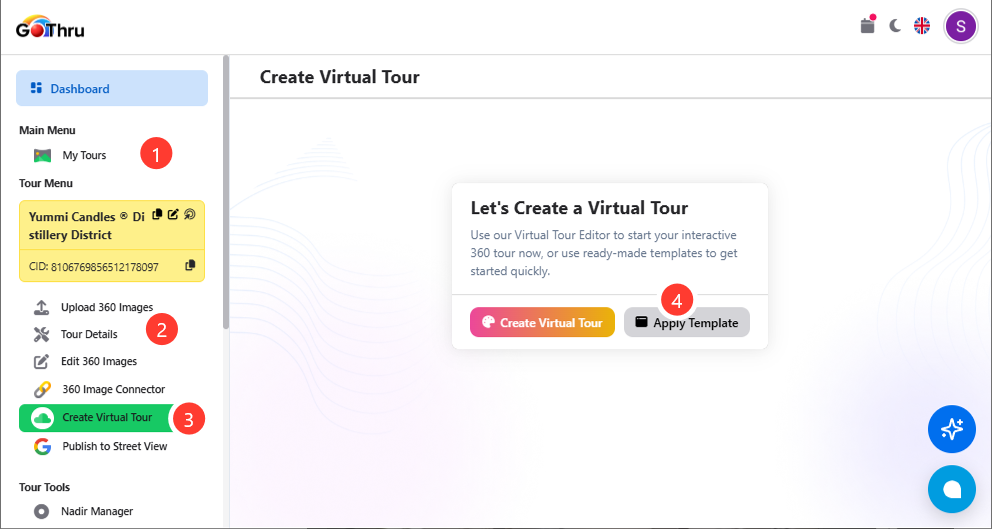
1. Open your tour from My Tours
From the GoThru dashboard, select My Tours and open the tour you want to work with.
2. Open the tour's Virtual Tour tools
In the tour menu on the left, locate Create Virtual Tour.
Click Create Virtual Tour to open the virtual tour creation page.
3. Select Apply Template
On the Create Virtual Tour page, you will see two options:
- Create Virtual Tour — build the virtual tour from scratch.
- Apply Template — start with a ready-made template.
Click Apply Template.
4. Choose a Virtual Tour Template
GoThru will open the Match Template page.
Here you can browse the available Virtual Tour Templates and select the layout you want to use.
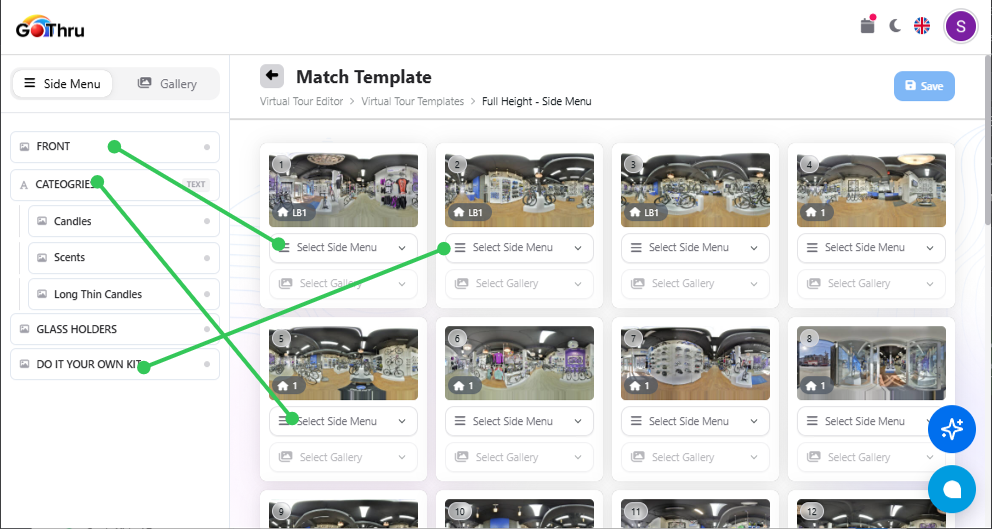
5. Match the template elements
Use the dropdown menus shown below each panorama to select the elements you want to use.
6. Save the template setup
Once you have matched the template elements to your panoramas, click Save in the upper-right corner.
7. Customize your virtual tour
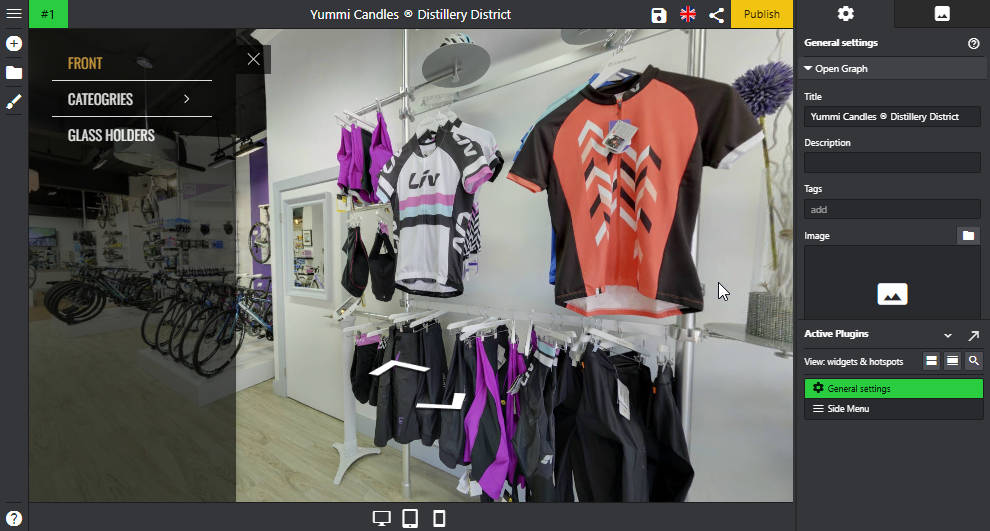
After applying the template, you can continue customizing the virtual tour to match your needs. Open the tour on the virtual tour editor.
Depending on the template, you can configure elements such as:
- Side Menu
- Maps
- Navigation
- Hotspots
- Logos
- Labels
- Other available virtual tour controls
The template provides the initial structure, while the editor allows you to customize the content and appearance.